Best Controller Charging Docks for PS5
What's inside
As an Amazon Associate I earn from qualifying purchases. This post may contain affiliate links at no extra cost to you.
The best controller charging docks for PS5 are the Sony DualSense Charging Station for dependable fit, the PowerA Charging Station for a lower-cost dual-controller setup, and a compact single-controller USB-C dock if desk space matters more than charging two pads at once.
As an Amazon Associate we earn from qualifying purchases at no extra cost to you.



Contents
Quick picks by situation
| Situation | Best choice | Why it fits | Main compromise |
|---|---|---|---|
| Want the least fuss | Sony DualSense Charging Station | Purpose-built fit, two-controller capacity, separate charging contacts and a stable weighted base | Costs more than generic docks |
| Need two controllers on a budget | PowerA Charging Station for PS5 | Dual charging, controller-shaped cradles and broad PS5 compatibility | Its indicator and contact design are less integrated than Sony’s |
| Only one controller is normally used | Single-controller USB-C charging dock | Smallest footprint and no unused second bay | Fit can be fussy, particularly with protective cases |
| Controllers have skins, grips or cases | Adjustable or open USB-C stand | More clearance around the USB-C port and handles | Usually less secure than contact-based DualSense docks |
Sony DualSense Charging Station: best overall for fit and reliability
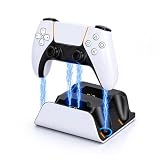
Sony’s official DualSense Charging Station is the safest recommendation when two standard PS5 controllers need a permanent home. It charges two controllers simultaneously through dedicated contact points rather than requiring a cable to be inserted into each controller. The controllers drop into shaped recesses, so there is little ambiguity about alignment once the dock is positioned correctly.
Charging a depleted DualSense generally takes about three hours, although the actual time varies with battery condition, controller use and whether both bays are occupied. The dock is powered by its included AC adapter, which avoids tying up a USB port on the PS5. That matters if the console’s front ports are already being used for a headset dongle, external storage or a charging cable.
The front indicator lights show charging status, but they are deliberately subdued rather than bright desk lighting. The base is compact enough for most TV stands, and its broad footprint resists movement when removing a controller. Cooling is not a major concern: the controller does not need active airflow, but the dock should still have several centimeters of open space around its sides so cables and hands do not become cramped.
The main limitation is compatibility with bulky accessories. A silicone cover, rear paddle attachment or thick protective shell can prevent the controller from seating fully. Remove those accessories before blaming the dock for intermittent charging.
PowerA Charging Station for PS5: the value alternative
PowerA’s PS5 Charging Station is a sensible choice when the goal is two charging positions without paying for the official accessory. Like Sony’s dock, it is designed around DualSense controllers and charges two simultaneously. It also uses contact charging, so there are no two loose USB-C leads to manage on the desk.
Its strongest advantage is value: the general market price is commonly below the official Sony dock, with dual-controller stations typically falling in the roughly $25–$40 range depending on the model and promotion. Sony’s official station is often closer to $30–$40. Prices change, so the more useful comparison is whether the cheaper dock still provides a stable cradle and a dedicated power adapter.
PowerA models use status indicators to show whether controllers are charging, but indicator brightness and behavior can differ between revisions. Treat the light as confirmation that the dock detects the controller, not as a precise battery meter. If a light flickers when the controller is touched, clean the contacts and check that the controller is fully seated.
Choose PowerA when the dock will sit on a stable shelf and both controllers are standard-shaped. Choose Sony instead if several household users will be placing controllers down quickly, because the official cradle’s fit is more predictable and its accessory ecosystem is simpler.
Head-to-head: what matters beyond charging speed
| Criterion | Sony DualSense Charging Station | PowerA Charging Station for PS5 | Single USB-C dock |
|---|---|---|---|
| Controller capacity | 2 | 2 | 1 |
| Typical full-charge time | About 3 hours | About 2.5–3 hours, depending on power source and battery state | About 2.5–4 hours, depending on charger |
| Connection method | Dedicated charging contacts | Dedicated charging contacts | Usually USB-C plug or contact pins |
| Power arrangement | Included AC adapter | Model-dependent; verify whether an adapter is included | Usually USB-powered |
| Case clearance | Low to moderate | Low to moderate | Moderate to high if the USB-C connection is exposed |
| Bay count footprint | Two controllers in one compact base | Two controllers in one compact base | Smallest overall footprint |
| Indicator lights | Clear charging-status lights | Charging-status lights; behavior varies by revision | Varies widely by manufacturer |
| Best ownership advantage | Most predictable fit and connection | Lower cost for two controllers | Flexible placement and minimum desk space |
Charging speed should not be the only deciding factor. A DualSense battery holds roughly 1,560 mAh, and most reputable docks supply enough power for normal overnight charging. A dock that claims a substantially faster time may be limited by the controller’s own charging circuitry, so it will not necessarily reduce the time by the same percentage.
How to choose the right dock for your desk
Measure the footprint, not just the width
A dual dock needs room for the controller handles as well as the base. Allow approximately 25–30 cm of clear width for a two-controller station and at least 10–15 cm of open depth in front of it. Leave space above the dock so a controller can be lifted vertically without hitting a monitor shelf. The dock itself generates very little heat, but covering its vents or trapping the power adapter behind a hot console is still poor cable management.
Check the controller fit before buying
Standard DualSense controllers are the easiest match. Edge controllers, silicone covers, thumb-stick extenders, rear-button attachments and thick skins can change the seating angle. Contact docks require the controller’s underside to reach the charging pins; USB-C plug docks require the port to line up without sideways pressure.
If a case is non-negotiable, look for an open-sided stand or a dock specifically advertised for case clearance. Do not force a protected controller into a tight cradle: repeated pressure can stress the dock contacts or the controller’s USB-C port.
Consider connection reliability
Contact charging is tidier and normally more reliable than repeatedly plugging in a loose cable, but it depends on clean metal contacts and correct seating. USB-C docks are more universal, yet a worn plug or a cable pulled sideways can interrupt charging. For a shared living-room setup, shaped contact cradles usually win. For a desk with several controller types, USB-C offers more flexibility.
Ownership realities: what wears first
- Charging contacts: Skin oil, dust and residue can prevent a clean electrical connection. Unplug the dock and wipe the contacts with a dry microfiber cloth; use a small amount of isopropyl alcohol on the cloth only when necessary, and let everything dry fully.
- USB-C plugs: They wear faster when controllers are inserted at an angle. Keep the dock level and avoid using the controller while it is attached.
- Indicator LEDs: A light confirms a detected charging state, not battery health. If the controller reaches full charge unusually quickly and then dies soon afterward, the battery—not necessarily the dock—may be aging.
- Base movement: Rubber feet collect dust and lose grip over time. Cleaning the feet and the surface underneath often restores stability.
- Power adapters: Do not substitute an unverified low-quality adapter. Use the included adapter or a reputable power source with the dock’s specified voltage and current.
Bottom line
Buy the Sony DualSense Charging Station if consistent fit, simple setup and connection reliability matter most. Pick PowerA’s PS5 Charging Station when two-controller charging is essential and the lower market price is the priority. Select a single-controller USB-C dock when desk footprint is the deciding factor or when controllers wear cases that do not fit shaped cradles.
Whichever model you choose, prioritize a stable base, visible charging confirmation, enough cooling and hand clearance, and a connection that matches how you actually store your controllers. A dock that takes a few minutes longer to charge but works every time is more useful than a faster dock that leaves one controller sitting slightly out of position.