Best DeWalt Router Tables: Compatibility, Setup, and Buying Tips
What's inside
- Best DeWalt Router Tables: Which Setup Fits Your Router and Workspace?
- DeWalt router-table options compared
- Pick by situation, not by brand alone
- Check router compatibility before buying
- Fence, mounting, and workspace checks
- A setup sequence that prevents common problems
- Ownership costs and wear points
- Bottom line
- Related Guides
- Best DeWalt Router Tables: Which Setup Fits Your Router and Workspace?
- DeWalt router-table options compared
- Pick by situation, not by brand alone
- Check router compatibility before buying
- Fence, mounting, and workspace checks
- A setup sequence that prevents common problems
- Ownership costs and wear points
- Bottom line
- Related Guides
As an Amazon Associate I earn from qualifying purchases. This post may contain affiliate links at no extra cost to you.
Contents
- Best DeWalt Router Tables: Which Setup Fits Your Router and Workspace?
- DeWalt router-table options compared
- Pick by situation, not by brand alone
- Check router compatibility before buying
- Fence, mounting, and workspace checks
- A setup sequence that prevents common problems
- Ownership costs and wear points
- Bottom line
- Related Guides
Best DeWalt Router Tables: Which Setup Fits Your Router and Workspace?
The best DeWalt router table depends on whether you need a portable benchtop, a dedicated station, or a table that can take a DeWalt router you already own. For most hobbyists, the DeWalt DW618PK paired with the DeWalt DW 6112 router table is a sensible starting point; for small shops, compare that compact setup with the larger DW 7464 table. Before buying, confirm the router’s mounting pattern, the plate opening and thickness, and how much room the fence and workpiece need.
DeWalt router-table options compared
DeWalt’s router-table lineup and included hardware can vary by region and over time. Verify the exact model number and current manual before purchase, especially for discontinued products or listings that bundle a table with a router. The figures below are published product dimensions or capacities where available; they describe the table, not the clearance needed around it.
As an Amazon Associate we earn from qualifying purchases at no extra cost to you.

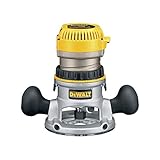

| Option | Published size or capacity | Best fit | Key trade-off |
|---|---|---|---|
| DeWalt DW 6112 router table | About 26 × 16 in. tabletop; benchtop format | Occasional routing, small shops, and owners of compatible DeWalt routers | Compact work surface limits support for long or wide stock |
| DeWalt DW 7464 router table | About 32 × 24 in. tabletop; larger stationary format | Frequent use and workpieces that benefit from more support | Needs a dedicated footprint and is less convenient to store |
| DeWalt router in a third-party table | Varies by table; measure the plate and opening | Buyers who need a particular fence, stand, or larger top | Router mounting compatibility is not guaranteed |
Dimensions and included accessories can differ between revisions and regional packages. Treat these figures as a screening guide, then confirm the manual or manufacturer listing for the specific model you are considering. A table’s nominal top size also does not equal usable support: the fence, bit opening, and workpiece overhang all affect how comfortably you can rout.
Pick by situation, not by brand alone
| Your situation | Practical choice | Why |
|---|---|---|
| Limited floor space; routing a few times a month | DW 6112-style benchtop table | Stores more easily and suits smaller workpieces |
| Regular furniture or cabinetry work; room for a station | Larger table such as the DW 7464 | More top area helps support stock and control feed |
| Already own a DeWalt router | Choose only after checking its base and mounting pattern | A DeWalt name on the router does not guarantee every table’s plate fits |
| Need a specific fence, lift, or insert system | Compare compatible third-party tables and plates | Accessory ecosystem may matter more than matching brands |
Check router compatibility before buying
“Fits DeWalt routers” is not enough detail to make a safe purchase. Router bases, mounting-hole patterns, plate thickness, and access to height adjustment can vary. Check these points against the router and table manuals:
- Mounting pattern: Compare the hole spacing and screw locations on the router base with the plate’s drilled holes. If the plate is undrilled, confirm that it can be drilled for your router and that the instructions allow it.
- Plate opening: Check that the opening accommodates the router’s base and the largest bit you intend to use, with suitable insert rings where supplied. A large opening without a close-fitting ring can leave too little support for small stock.
- Plate thickness and level: The plate should sit flush with the tabletop. A proud edge can catch a workpiece; a low edge can create a gap that collects chips or interrupts the feed.
- Height adjustment and bit changes: Confirm whether the table lets you adjust bit height from above. Some combinations require reaching below the table, which may be awkward and should only be done with the router unplugged.
- Motor and base clearance: Make sure the router body, handles, power cord, and any dust port do not hit the cabinet or stand when mounted.
If compatibility is unclear, get the plate model and router model number and ask the manufacturer or seller to confirm the combination in writing. Do not assume that a mounting adapter will preserve safe, secure attachment.
Fence, mounting, and workspace checks
Fence adjustment
Move the fence through its full adjustment range and check that both halves remain parallel to one another and square to the tabletop. The fence should lock without shifting. Verify that its opening can be reduced close to the bit for better workpiece support, and that the dust port connects to the hose size you use. A fence that is easy to reposition but hard to lock accurately can make repeat cuts frustrating.
Mounting and vibration
A benchtop table still needs a stable base. Clamp it securely to a bench or bolt it down if the design permits; a lightweight table that walks under load is harder to control. On a cabinet-mounted table, check that the stand is level, fasteners stay tight, and the router can be removed for maintenance. Follow the manufacturer’s instructions for mounting screws and do not substitute longer fasteners that could interfere with the motor.
Allow room for the work
Measure the actual work area, including the operator’s position, the infeed and outfeed paths, and the fence’s adjustment range. A 26-inch-deep top does not provide 26 inches of clear space if it sits against a wall or between cabinets. Long boards may need roller stands or another support surface that is level with the table. Keep the cord and dust hose clear of the workpiece path.
A setup sequence that prevents common problems
- Unplug the router. Install the correct plate and secure the router using the specified hardware before putting the table into service.
- Check the plate surface. Use a straightedge across the plate and tabletop. Correct any mismatch using the table’s leveling screws, if provided.
- Center the bit opening. Fit the appropriate insert ring and confirm the bit clears it through its full rotation. Turn the spindle by hand while unplugged.
- Align the fence. Set the fence faces parallel and lock them. For a trial cut, adjust the fence in small increments rather than trying to remove too much material at once.
- Secure the table and manage dust. Clamp or fasten the base, connect dust collection if available, and route cords so they cannot snag.
- Make a test cut on scrap. Check the cut depth, feed direction, and fence setting before routing the finished piece. Use push blocks or other suitable work-holding aids for narrow stock.
These checks matter because small alignment errors can show up as a step in an edge profile, uneven joint, or a workpiece that catches at the plate. Always follow the router and table manuals for bit limits, feed direction, and guarding; disconnect power before changing bits or adjusting the mounted router.
Ownership costs and wear points
Table ownership is not just the initial purchase. Common ongoing costs include insert rings, replacement fence faces, dust-hose adapters, and clamps or supports. Keep the tabletop and plate clean: resin and compacted dust can make stock drag and interfere with a flush plate fit. Periodically check mounting screws and fence locks for looseness, and inspect plastic fence faces or insert rings for damage. Replace worn or cracked parts rather than relying on them to support the workpiece.
For a low-use setup, a benchtop table is usually the more economical choice if its capacity is enough. If you route long stock regularly, the time spent arranging extra support—and the risk of poor control—can outweigh the floor space saved. The right purchase is the smallest table that safely supports your typical work, not simply the largest top you can afford.
Bottom line
Choose the DW 6112-style benchtop option when storage and occasional use matter most; consider the larger DW 7464-style station if you have room and routinely handle bigger workpieces. If you already own a DeWalt router, compatibility is the deciding check: confirm its mounting pattern, plate fit, adjustment access, and motor clearance before buying. Then test the fence, secure the table, and measure the real infeed and outfeed space your shop can provide.