How to Diagnose Table Saw Blade Wobble During Operation
What's inside
As an Amazon Associate I earn from qualifying purchases. This post may contain affiliate links at no extra cost to you.
Table saw blade wobble is more than an annoying cut-quality problem. A blade that visibly moves side to side can burn stock, leave a rough edge, widen a kerf unpredictably, and create kickback conditions. The cause may be a bent blade, but it can also be a dirty arbor flange, a damaged washer, a loose arbor nut, or a problem in the saw’s arbor or bearings. Diagnose the source before buying parts or continuing to cut.
Contents
Start With a Safe Inspection
Unplug the saw before touching the blade, arbor, throat plate, or belt. Do not rely on the power switch. Remove the blade guard only when necessary for inspection, and reinstall it before operating the saw. Wear gloves while handling a blade, but do not wear gloves near a running blade.
Lower the blade below the table and remove the throat plate. Check that the blade is seated correctly on the arbor and that the arbor nut is tight. Most table saw arbor nuts use a standard right-hand thread, so they tighten clockwise when viewed from the outside of the saw. Do not add excessive force with a cheater bar; damaged threads or a distorted flange can result.
Look for obvious problems first: missing teeth, a warped blade plate, pitch buildup, a cracked blade, or a washer that does not sit flat. A blade with a crack, severe corrosion, or a visibly bent plate should be replaced, not tested repeatedly.
Separate Blade Wobble From Alignment Problems
Not every poor cut is blade wobble. A misaligned fence can pinch the workpiece, while a miter slot or trunnion that is out of alignment can make a straight blade appear misleadingly inconsistent. With the saw unplugged, rotate the blade by hand and watch the teeth in relation to the throat plate. A blade that moves side to side once per revolution has runout. A fence that stays parallel to the miter slot but produces a tapered cut points to a different setup problem.
For a reliable check, use a dial indicator with a magnetic base or a purpose-made arbor runout gauge. If the indicator touches the blade plate, avoid the teeth and keep the contact point close to the blade’s outer diameter. Mark the high spot with a pencil, then rotate the blade through several revolutions. Measure both the blade plate and the arbor flange if possible.
As a practical guide, less than about 0.002 inch of blade runout is excellent. Around 0.003 to 0.005 inch may be visible but can still be acceptable for general construction work. Runout above roughly 0.005 inch deserves investigation, especially on a cabinet saw used for joinery. The exact acceptable value depends on the blade, saw, material, and cut quality required.
Check the Blade First
Remove the blade and place it on a known-flat surface such as a thick piece of glass or a machinist’s surface plate. Do not use a rough workbench as a reference. Press lightly around the blade and look for rocking. A quality blade may have slight manufacturing variation, but it should not rock noticeably.
Clean pitch and resin from the blade with a cleaner approved for carbide blades. Buildup on one side can prevent the blade from seating squarely or can create an apparent wobble. If the blade is bent, do not attempt to straighten it with pliers or a hammer. Replacement is safer and usually cheaper than professional blade repair.
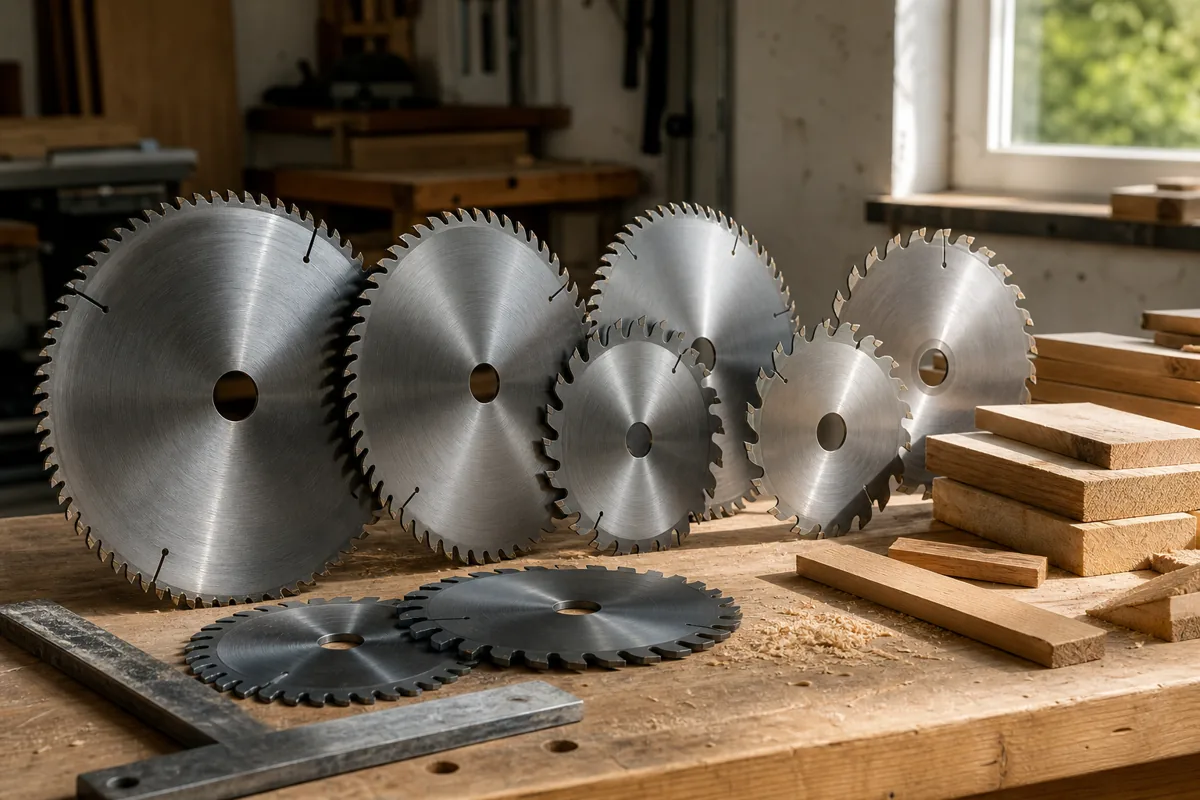
A bargain blade can be fine for demolition lumber, framing, or occasional rough cuts. For plywood, hardwood, and visible joinery, a better-made blade with a flatter plate and more consistent teeth is worth considering. A useful starting point is this selection of table saw replacement blades, but match the blade diameter, kerf, arbor hole, and maximum RPM to your saw.
Inspect the Arbor and Flanges
With the blade removed, clean both arbor flanges and the exposed arbor shaft. A tiny chip of sawdust, pitch, or rust between the flange and blade can produce measurable runout. Check that the inner and outer flanges are flat and free of raised burrs. A washer that has been installed backward, substituted with the wrong part, or tightened while cocked can also hold the blade at an angle.
| Observation | Likely cause | Next check |
|---|---|---|
| Wobble follows one blade but not another | Bent, dirty, or poorly made blade | Clean and test the suspect blade on a flat surface |
| Several blades wobble by the same amount | Dirty or damaged flange, washer, or arbor | Clean parts and measure arbor runout |
| Wobble changes when the blade is removed and reseated | Debris or poor seating | Inspect the arbor hole and flange faces |
| Arbor flange runs true but blade still moves | Bent blade or incorrect arbor-hole fit | Test a known-good blade |
| Arbor itself moves or makes grinding noise | Worn bearings or arbor assembly | Stop using the saw and service the machine |
Measure Arbor Runout and Bearings
To check the arbor, place the indicator tip against the smooth arbor flange or shaft and rotate it by hand. Keep belt tension from affecting the reading by turning the arbor directly if the design allows. If the flange shows noticeable runout with no blade installed, the problem is in the arbor, flange, or bearings rather than the blade.
With the blade removed, grasp the arbor or pulley and try to move it up, down, and side to side. There should be no obvious looseness. A rough feel, clicking, growling, or visible movement at the bearing housing indicates a mechanical fault. Do not keep running the saw to “see if it settles.” A failing bearing can damage the arbor and create a more expensive repair.
On belt-drive saws, inspect the belt and pulleys as well. A damaged pulley or belt can cause vibration that looks like blade wobble, although it normally makes the whole machine shake rather than move the blade once per revolution. If vibration changes with motor speed or belt tension, inspect the drive system.
Decide Whether to Replace or Repair
Replace the blade when it is bent, cracked, missing carbide, or still exceeds your runout tolerance after cleaning and correct installation. For routine woodworking, a dial indicator and magnetic base are useful purchases if you regularly set up or maintain stationary machines. A simple visual check is enough for occasional rough work, but it cannot reliably distinguish 0.003 inch from 0.010 inch of runout.
Repair or professional inspection makes more sense when multiple known-good blades wobble, the arbor has measurable movement, or the saw has suffered a hard impact. Do not machine or sand the arbor flange casually; removing material unevenly can permanently worsen the problem. After correcting the fault, reinstall the guard and riving knife, verify that the blade is parallel to the miter slot, and make a test cut in scrap before returning to finished work.