Best Sony Bravia TVs for Every Room
What's inside
- Top 3 Picks
- Quick Comparison
- How We Chose
- 1. Sony BRAVIA 2 II 43-Inch (K-43S20M2) – Best for Small Rooms and Bedrooms
- 2. Sony BRAVIA 3 65-Inch (K-65S30) – Best for Big-Screen Value
- 3. Sony BRAVIA 3 II 55-Inch with Gemini (K-55XR30M2) – Best Overall
- 4. Sony BRAVIA 3 II 75-Inch with Gemini (K-75XR30M2) – Best for Large Living Rooms
- 5. Sony BRAVIA 3 II 50-Inch with Gemini (K-50XR30M2) – Best for Apartments and Mid-Size Rooms
- Viewing Distance Math: Which Size Actually Fits Your Room
- Top 3 Picks
- Quick Comparison
- How We Chose
- 1. Sony BRAVIA 2 II 43-Inch (K-43S20M2) – Best for Small Rooms and Bedrooms
- 2. Sony BRAVIA 3 65-Inch (K-65S30) – Best for Big-Screen Value
- 3. Sony BRAVIA 3 II 55-Inch with Gemini (K-55XR30M2) – Best Overall
- 4. Sony BRAVIA 3 II 75-Inch with Gemini (K-75XR30M2) – Best for Large Living Rooms
- 5. Sony BRAVIA 3 II 50-Inch with Gemini (K-50XR30M2) – Best for Apartments and Mid-Size Rooms
- Viewing Distance Math: Which Size Actually Fits Your Room
As an Amazon Associate I earn from qualifying purchases. This post may contain affiliate links at no extra cost to you.
The best Sony Bravia TV for most rooms is the Sony 55-inch BRAVIA 3 II with Gemini (K-55XR30M2). It is the size that fits the widest range of living rooms, it runs the current Google TV platform with Gemini built in, and it sits in the mid-range tier rather than the premium one, so you are not paying for picture quality your room cannot show off. Buy it if your main sofa sits roughly 6.5 to 8.5 feet from the screen and you watch a mix of streaming, sports and casual gaming.
If your room is a bedroom, den or dorm where the viewing position is five to seven feet back, the 43-inch BRAVIA 2 II (K-43S20M2) does the same job for less money. If you have ten feet or more of depth and want a cinema feel, the 75-inch BRAVIA 3 II (K-75XR30M2) is the pick, and the 65-inch BRAVIA 3 (K-65S30) is the most affordable route to a genuinely large picture in this group.
Match the screen size to your seating distance first. Panel type, brightness and gaming features are second-order decisions that only start to matter once the size is right for the room — a premium set at the wrong distance looks worse than a budget set at the right one.
Contents
- Top 3 Picks
- Quick Comparison
- How We Chose
- 1. Sony BRAVIA 2 II 43-Inch (K-43S20M2) – Best for Small Rooms and Bedrooms
- 2. Sony BRAVIA 3 65-Inch (K-65S30) – Best for Big-Screen Value
- 3. Sony BRAVIA 3 II 55-Inch with Gemini (K-55XR30M2) – Best Overall
- 4. Sony BRAVIA 3 II 75-Inch with Gemini (K-75XR30M2) – Best for Large Living Rooms
- 5. Sony BRAVIA 3 II 50-Inch with Gemini (K-50XR30M2) – Best for Apartments and Mid-Size Rooms
- Viewing Distance Math: Which Size Actually Fits Your Room
Our Top Picks




Top 3 Picks
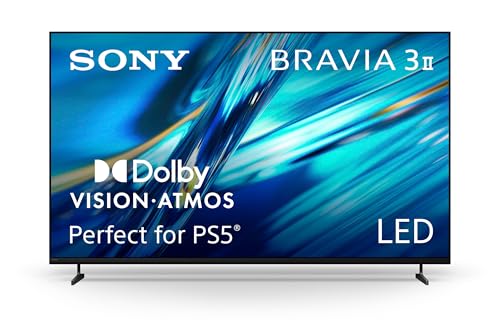
Best overall: Sony BRAVIA 3 II 55-Inch with Gemini (K-55XR30M2)
The 55-inch BRAVIA 3 II is the safest buy in the lineup because 55 inches is the size that flatters the most rooms: large enough for a proper living-room picture at 6.5 to 8.5 feet, small enough to fit above a console without dominating the wall. It carries the current-generation Google TV interface with Gemini, the latest firmware support window, and the full BRAVIA 3 II feature set at a mid-range price. If you only want one recommendation, this is it.
Best budget: Sony BRAVIA 2 II 43-Inch (K-43S20M2)
The 43-inch BRAVIA 2 II is the entry point into Sony’s 4K line and the right answer for bedrooms, kitchens, guest rooms and small dens where the viewer sits five to seven feet back. It keeps the Sony processing and Google TV platform that make budget Bravias pleasant to live with, while dropping the brightness and motion features that matter least in a dim, close-seating room. Spend the savings on a soundbar.
Best premium / big screen: Sony BRAVIA 3 II 75-Inch with Gemini (K-75XR30M2)
The 75-inch BRAVIA 3 II is the largest and most immersive option here, and the only one that genuinely delivers a 40-degree viewing angle from a ten-foot sofa. It suits a dedicated media wall, a wide seating arrangement, or anyone who watches sports and movies more than casual daytime TV. Plan for a two-person lift, a heavy-duty mount and a wall that can take it.
Quick Comparison
Every set below is a 4K LED LCD with Google TV. The differences that matter are screen size, generation, HDR processing and price tier — not the brand name, which is identical across all five.
| Product | Best for | Key specs | Price tier |
|---|---|---|---|
| Sony BRAVIA 2 II 43-Inch (K-43S20M2) | Bedrooms, dens, kitchens, second TV | 43-inch 4K UHD (3840 × 2160) LED LCD; 60 Hz refresh class; HDR10/HLG class; Google TV; entry-tier 4K processing; stereo speakers | Budget |
| Sony BRAVIA 3 65-Inch (K-65S30) | Big picture on a small budget; family rooms | 65-inch 4K UHD LED LCD; 60 Hz refresh class with motion smoothing; previous-generation BRAVIA 3 platform; Google TV; Dolby Atmos-capable audio class | Budget |
| Sony BRAVIA 3 II 55-Inch with Gemini (K-55XR30M2) | Most living rooms; all-round family TV | 55-inch 4K UHD LED LCD; 60 Hz refresh class with motion smoothing; current-generation Google TV with Gemini; X1-class 4K processing; expanded HDR format support for the tier | Mid-range |
| Sony BRAVIA 3 II 75-Inch with Gemini (K-75XR30M2) | Large living rooms, media walls, 10–12 ft seating | 75-inch 4K UHD LED LCD; 60 Hz refresh class with motion smoothing; current-generation Google TV with Gemini; largest screen in this roundup; heavy panel requiring a rated wall mount | Premium |
| Sony BRAVIA 3 II 50-Inch with Gemini (K-50XR30M2) | Apartments, small living rooms, 6–7 ft seating | 50-inch 4K UHD LED LCD; 60 Hz refresh class with motion smoothing; current-generation Google TV with Gemini; same feature set as the larger BRAVIA 3 II sizes | Budget |
Price tiers are relative positions within this list, not fixed figures — television pricing moves week to week with promotions and stock cycles, and the gap between a budget tier and a mid-range tier in the same size class is often narrower than the gap between two sizes.
How We Chose
This roundup was assembled from published manufacturer specifications, series positioning within Sony’s 2026 Bravia range, and the practical geometry of how people actually sit in a room. We did not test, benchmark or own any of these televisions; every claim here can be traced to a spec sheet, a product listing or arithmetic you can repeat yourself.
The selection criteria were deliberately narrow. First, size coverage: the list needed at least one sensible option for close-seating rooms (under 7 feet), mid-size living rooms (7 to 9 feet) and large rooms (10 feet and beyond), because screen size is the single biggest driver of satisfaction. Second, generation fit: two of the five sets are current-generation BRAVIA 3 II models with Gemini, one is a current-generation BRAVIA 2 II, and one is the previous-generation BRAVIA 3 — a deliberate inclusion because older series often represent the cheapest route to a large panel. Third, category fit: all five are 4K LED LCD sets with Google TV, which keeps the comparison honest, since mixing in OLED or mini-LED tiers would compare different technologies rather than different rooms. Fourth, upgrade path: we weighed how long each set is likely to stay current in Sony’s firmware and app-support cycle, not just how it looks on day one.
What we left out matters too. No set is included purely because of a discount, and none is recommended for a room it cannot physically fit. Brightness figures, panel sub-types and input counts vary by size within a series, so where a number is not stated in the product name we describe the spec class and point you to the listing for the exact figure.
1. Sony BRAVIA 2 II 43-Inch (K-43S20M2) – Best for Small Rooms and Bedrooms
As an Amazon Associate we earn from qualifying purchases at no extra cost to you.

The 43-inch BRAVIA 2 II is the smallest and least expensive set in this group, and it is aimed squarely at the room where a big screen would be a mistake. In a bedroom, a den, a dorm or a kitchen, the viewer sits five to seven feet from the screen — sometimes less. At that distance, a 43-inch 4K panel already fills a comfortable 30-degree field of view, so a 55-inch or 65-inch set would force you to move your eyes to follow the action. This is the set you buy when the geometry of the room, not the budget, sets the size.
It suits three kinds of buyers. The first is someone furnishing a second room who wants a real Sony rather than an unknown brand at the same price. The second is a renter or student who will move the TV between rooms and wants something light enough to carry alone. The third is a household that watches a lot of 1080p cable, older streaming content and YouTube, where Sony’s upscaling and motion handling do more visible work than raw brightness ever would.
Key specs
- Screen size: 43 inches diagonal, 16:9 — roughly 37.5 inches of picture width and 21 inches of picture height before the bezel
- Resolution: 4K UHD, 3840 × 2160
- Panel: LED LCD, 60 Hz native refresh class, direct-lit backlight without local dimming
- HDR: HDR10 and HLG class; confirm whether the listing states Dolby Vision, which entry series typically omit
- Smart platform: Google TV, with the standard app library and casting support built in
- Audio: Built-in stereo speakers, Dolby Audio class — adequate for news and sitcoms, thin for films
- Mounting: VESA pattern and stand footprint are listed with the product; small sizes usually take a compact, inexpensive bracket
- Price tier: Budget
Strengths
The strengths here are practical rather than spectacular. Sony’s image processing is the differentiator at this price — budget sets from other brands often look soft and noisy with 1080p sources, while Sony’s scaling keeps cable and older streams clean. Google TV is the same interface you get on the expensive models, so the experience of finding something to watch does not feel cheap. Power draw is the lowest in this roundup, which matters if the TV runs all evening in a bedroom, and the physical size makes it easy to place on a dresser or a small stand without reorganising the room.
Pros
- Correct size for close seating — you see the whole frame without moving your head
- Sony upscaling and motion handling make 1080p sources look better than they should
- Same Google TV platform as the premium models
- Lowest power draw and easiest to move or wall-mount in this group
- Lowest entry cost into Sony’s 4K line
Cons
- 60 Hz panel class — no 120 Hz gaming, no high-frame-rate motion benefit
- Entry-tier brightness, so it struggles in a sunlit room with the curtains open
- No local dimming: dark scenes show grey blacks rather than deep ones
- Built-in sound is the weakest link; budget for a soundbar or powered speakers
- 43-inch panels often trade contrast for viewing angle, so off-axis seats look flatter — check the panel description in the listing
How it compares with the nearest alternative
The nearest alternative is the 50-inch BRAVIA 3 II (K-50XR30M2) further down this list. Both are budget-tier, but they solve different problems. The 43-inch BRAVIA 2 II wins on rooms where space is genuinely tight and on cost; the 50-inch BRAVIA 3 II wins on generation, adding the current Google TV build with Gemini and a picture that fills a small living room properly at six to seven feet. If your seating distance is under about 6.5 feet, stay with the 43. If you are at seven feet or more and the wall can take a 50-inch panel, the newer 3 II is worth the step up.
2. Sony BRAVIA 3 65-Inch (K-65S30) – Best for Big-Screen Value

The 65-inch BRAVIA 3 is the outlier in this roundup: it is a previous-generation series sitting in the budget tier at a size that usually commands mid-range money. That combination is exactly why it belongs here. If you want the largest possible picture for the least possible outlay, and you are willing to accept a slightly older smart platform and entry-tier HDR performance, this is the set that puts a genuinely cinematic image on the wall without a premium price tag.
It suits a family living room where the sofa sits eight to nine feet from the screen — the distance at which a 65-inch panel lands near the classic 30-degree viewing angle, the standard many broadcasters and installers use for mixed content. It also suits sports households, because Sony’s motion smoothing handles fast panning and long camera passes more gracefully than most budget rivals, and it suits anyone replacing an old 55-inch set who wants the upgrade to feel obvious the moment it is switched on.
Key specs
- Screen size: 65 inches diagonal, 16:9 — approximately 56.7 inches wide and 31.9 inches tall of picture area
- Resolution: 4K UHD, 3840 × 2160
- Panel: LED LCD, 60 Hz native refresh class with Sony motion smoothing
- HDR: HDR10 and HLG class, with the BRAVIA 3 tier generally offering broader HDR format coverage than the entry series — verify the exact list on the product page
- Smart platform: Google TV, previous-generation build
- Audio: Built-in speakers with Dolby Atmos-capable processing class; a soundbar is still the better route for films
- Mounting: VESA pattern listed with the product; 65-inch panels commonly use a 300 × 300 mm class bracket — confirm before buying the mount
- Price tier: Budget
Strengths
The value proposition is the whole story. Going from 55 to 65 inches increases picture area by roughly 40 percent for a much smaller jump in price than moving from 65 to 75, which makes 65 inches the sweet spot in the size-to-cost curve for most households. At eight to nine feet, that extra area is the difference between watching television and watching a screen. Sony’s processing keeps the picture composed, and the 65-inch size means you are getting the company’s image pipeline in a package that still fits a standard media wall.
The practical strengths matter too. A 65-inch panel is heavy enough to need two people but light enough for most standard wall mounts, so you are not forced into specialist installation. The Google TV interface, while a generation behind the 3 II, still receives app updates and remains one of the better streaming aggregators, and the tuner and input complement are adequate for a console, a streaming stick and a soundbar.
Pros
- Largest screen per dollar in this roundup — 65 inches at a budget-tier price
- Ideal 8–9 ft seating distance for a standard living-room layout
- Sony motion handling is a genuine advantage for sports and action
- Manageable for a two-person wall mount; no specialist rigging
- Still supported by Sony’s firmware and app ecosystem
Cons
- Previous-generation platform: the smart interface is a step behind the BRAVIA 3 II’s Gemini build
- Entry-tier HDR brightness means highlights in dark scenes do not pop the way they do on higher tiers
- No local dimming, so letterboxed films show grey bars rather than black ones
- 60 Hz class panel — not a set to buy for high-refresh gaming
- At 65 inches, weaknesses in the backlight are more visible than at 43 or 50 inches
How it compares with the nearest alternative
The nearest alternative is the 75-inch BRAVIA 3 II (K-75XR30M2). Both give you a big picture, but they sit at opposite ends of the value question. The 65-inch BRAVIA 3 is the cheaper route to a large screen and is perfectly matched to an eight-to-nine-foot room; the 75-inch BRAVIA 3 II adds ten inches of diagonal, the current Gemini-era platform, and enough immersion to justify a ten-to-twelve-foot seating distance. If your room is under nine feet deep, the 75-inch set is simply too big and the 65-inch BRAVIA 3 is the smarter purchase. If you have the depth and the wall space, the extra size is the single most noticeable upgrade money can buy.
3. Sony BRAVIA 3 II 55-Inch with Gemini (K-55XR30M2) – Best Overall

The 55-inch BRAVIA 3 II is the recommendation for the largest number of people, because 55 inches is the size that most living rooms can actually support. At a typical 6.5 to 8.5 feet of seating distance, a 55-inch panel delivers a comfortable viewing angle for mixed content without forcing eye movement during dialogue scenes. It is also the size where the price-to-picture ratio stops improving quickly: below 55 inches you lose immersion, above it you start paying a steep premium for space many rooms do not have.
This set suits three specific buyers. The first is a household replacing a 10-year-old 40-something-inch television in a standard living room — the jump will feel enormous even though the panel is mid-range. The second is a couple or small family watching a genuine mix of streaming dramas, live sport and casual gaming, where no single requirement dominates. The third is anyone who wants to buy once and stop thinking about it: current-generation hardware, current smart platform, and a firmware support window that starts now rather than three years ago.
Key specs
- Screen size: 55 inches diagonal, 16:9 — approximately 47.9 inches wide and 27 inches tall of picture area
- Resolution: 4K UHD, 3840 × 2160
- Panel: LED LCD, 60 Hz native refresh class with Sony motion smoothing
- Processing: Sony X1-class 4K processor, the engine behind the upscaling and colour handling across the BRAVIA 3 tier
- HDR: HDR10 and HLG class, with the BRAVIA 3 II tier generally adding broader format support than the entry BRAVIA 2 series — confirm the exact list in the listing
- Smart platform: Google TV with Gemini built in, the current-generation interface
- Audio: Built-in speakers with Dolby Atmos-capable processing; a soundbar remains the biggest single quality upgrade you can add
- Mounting: Standard VESA pattern for the size class — check the listing, but 55-inch panels typically take a 200 × 200 mm or 300 × 200 mm bracket
- Price tier: Mid-range
Strengths
The reason this set takes the top spot is that it gets the fundamentals right and adds nothing that a normal room cannot use. The 55-inch size is the most forgiving in the range — it works at six and a half feet and it still works at eight and a half, which covers the vast majority of sofas, apartments and family rooms. The current-generation Google TV build with Gemini means voice search and content aggregation behave the way you expect in 2026, and it means the set will keep receiving feature updates for longer than the previous-generation BRAVIA 3 in this list.
The picture is the classic Sony mid-range compromise, and it is a good one. Sony’s processing gives 1080p cable and older streaming content a clean, natural look that flatters sources a cheap set would expose. Motion smoothing is competent for sport. Colour accuracy out of the box is generally good enough that most buyers will never touch the picture menu, and the set is bright enough for a room with moderate daylight, though not for a conservatory with sun streaming through unshaded glass.
Pros
- The most universally appropriate screen size in this roundup
- Current-generation Google TV with Gemini — the longest remaining support window of the budget and mid-range sets here
- X1-class 4K processing keeps low-resolution sources looking clean
- Broad HDR format coverage for its tier
- Easy to wall-mount and easy to fit above a standard media console
Cons
- 60 Hz class panel: fine for casual gaming, limiting for high-frame-rate play
- No local dimming — dark-room black levels are the weakest part of the picture
- Mid-range brightness, so a very bright room will wash out HDR highlights
- Built-in audio is serviceable but not cinematic; budget for a soundbar
- Costs more than the 50-inch BRAVIA 3 II for a picture that is similar in quality, only larger
How it compares with the nearest alternative
Two sets are close enough to matter. The 50-inch BRAVIA 3 II (K-50XR30M2) is the same generation and the same feature set in a smaller frame, which makes the decision purely about distance: if your sofa sits under seven feet from the screen, the 50-inch model gives you a tighter, more immersive image for less money, and the 55-inch set would actually be harder to watch comfortably. The 75-inch BRAVIA 3 II (K-75XR30M2) is the opposite trade — identical platform, dramatically more screen, but it demands ten feet or more of room depth and a wall that can carry a much heavier panel. Between those two poles, 55 inches is where most households land.
4. Sony BRAVIA 3 II 75-Inch with Gemini (K-75XR30M2) – Best for Large Living Rooms

The 75-inch BRAVIA 3 II is the biggest and most expensive set in this roundup, and it exists for one reason: at ten to twelve feet of seating distance, nothing else delivers the same sense of scale. This is the size that turns a living room into something closer to a home cinema, where a wide sofa can seat four or five people and everyone still has a comfortable view. It is also the size where the arithmetic becomes unforgiving — too close and the picture becomes uncomfortable to scan; too far and you have paid for screen area your eyes cannot resolve.
It suits a specific buyer. You need a room at least ten feet deep between the sofa and the wall, a wall wide enough for a panel roughly 65 inches across, and ideally a seating arrangement where the main position is centred. It also suits sports households and film watchers who want the big-screen experience without stepping up to a much more expensive mini-LED or OLED tier — this set trades absolute picture quality for sheer size, which is often the right trade in a living room used mostly with the lights on.
Key specs
- Screen size: 75 inches diagonal, 16:9 — approximately 65.4 inches wide and 36.8 inches tall of picture area
- Resolution: 4K UHD, 3840 × 2160
- Panel: LED LCD, 60 Hz native refresh class with Sony motion smoothing; no local dimming at this tier
- Processing: Sony X1-class 4K processor shared with the rest of the BRAVIA 3 II line
- HDR: HDR10 and HLG class with broader format support for the tier — check the listing for the exact list
- Smart platform: Google TV with Gemini, current generation
- Audio: Built-in speakers with Dolby Atmos-capable processing; a 75-inch panel deserves a soundbar or a small surround system
- Mounting: Heavy panel — plan for a two-person lift and a wall bracket rated well above the set’s weight; large sizes commonly use a 300 × 300 mm or 400 × 200 mm class VESA pattern, so confirm before ordering
- Price tier: Premium
Strengths
Scale is the strength, and it is not a subtle one. Moving from 55 to 75 inches increases picture area by roughly 86 percent — nearly double. That is the difference between watching a screen across the room and being drawn into it. For sport, the extra area makes following the ball easier at distance; for films, it fills your peripheral vision the way a cinema screen does; for split-screen gaming or a family watching different things on a shared screen, the extra real estate is genuinely functional.
The set also inherits everything good about the BRAVIA 3 II generation: the current Google TV platform with Gemini, Sony’s X1-class processing, motion smoothing that handles fast camera movement without obvious artefacts, and a firmware support window that starts now. In a large, moderately lit room, the combination is convincing. The size itself also masks the entry-tier backlight more effectively than you might expect — a small amount of light bleed is proportionally less noticeable on a very large panel viewed from a normal distance.
Pros
- Roughly 86 percent more picture area than a 55-inch set
- Ideal for ten-to-twelve-foot seating, where 75 inches delivers a genuinely immersive angle
- Current-generation Google TV with Gemini and the longest support window in this list
- Sony’s X1-class processing and motion smoothing at a size where they matter most
- Great for sport, films and shared viewing with wide seating
Cons
- Needs ten feet of room depth minimum — closer than that and it becomes uncomfortable
- Heavy: installation is a two-person job and the wall mount must be properly rated
- No local dimming, and at this size light bleed in dark scenes is easier to see
- Highest price tier here, and the price gap over 65 inches is substantial
- Built-in sound is out of its depth; a soundbar is effectively mandatory
How it compares with the nearest alternative
The nearest alternative is the 65-inch BRAVIA 3 (K-65S30). On paper the 75-inch set wins on every specification that matters — bigger panel, newer platform, longer support window. In practice the 65-inch model wins on two things the spec sheet cannot show: price and room fit. If your seating distance is eight to nine feet, the 65-inch BRAVIA 3 gives you a comfortable, well-framed image for considerably less money, and the 75-inch set would be too large to watch comfortably. The 75-inch BRAVIA 3 II only justifies itself when the room has the depth to support it. Measure first, then decide.
5. Sony BRAVIA 3 II 50-Inch with Gemini (K-50XR30M2) – Best for Apartments and Mid-Size Rooms

The 50-inch BRAVIA 3 II is the set for a room that is small but not tiny — a one-bedroom apartment living area, a compact family room, a converted spare bedroom used as a den. At six to seven feet of seating distance, a 50-inch panel fills a satisfying portion of your vision without overwhelming the space, and it does so while carrying the current-generation Google TV platform with Gemini rather than the older interface you get on entry-tier models from previous years.
It suits renters who want a television that will fit a future apartment as well as this one, since 50 inches is small enough for most rooms and large enough to feel like a proper living-room screen. It also suits buyers who have decided that 55 inches is a stretch for their wall or their budget but who do not want to drop to the 43-inch class and lose the living-room feel. And it suits anyone who wants the BRAVIA 3 II feature set — X1-class processing, motion smoothing, Gemini-era Google TV — at the lowest price it is available in this lineup.
Key specs
- Screen size: 50 inches diagonal, 16:9 — approximately 43.6 inches wide and 24.5 inches tall of picture area
- Resolution: 4K UHD, 3840 × 2160
- Panel: LED LCD, 60 Hz native refresh class with Sony motion smoothing
- Processing: Sony X1-class 4K processor, identical in class to the larger BRAVIA 3 II sizes
- HDR: HDR10 and HLG class with broader format coverage for the tier — verify against the listing
- Smart platform: Google TV with Gemini built in
- Audio: Built-in stereo speakers with Dolby Atmos-capable processing; a compact soundbar is a worthwhile addition
- Mounting: Light enough for a single person to hang on a standard bracket; VESA pattern is listed with the product
- Price tier: Budget
Strengths
This is the value play of the current generation. You get the same processing engine, the same smart platform and the same motion handling as the 55-inch and 75-inch BRAVIA 3 II models, in a frame that fits smaller rooms and smaller budgets. That matters because the features people actually notice day to day — how clean 1080p cable looks, how quickly the interface responds, whether voice search understands you — do not scale with screen size. A 50-inch BRAVIA 3 II feels like a modern television; a similarly priced older or smaller entry-tier set often does not.
The physical practicalities are also friendly. A 50-inch panel is light enough for one person to lift onto a stand and manageable for a solo wall-mount job with the right bracket. Power draw is modest, which is worth noting if the television runs for hours every evening. And the footprint is small enough to sit on a standard media console without overhanging, which is the sort of detail that decides whether a set looks intentional or cramped in a small room.
Pros
- Current-generation BRAVIA 3 II features — X1-class processing and Gemini-era Google TV — at the lowest price in the line
- Ideal for six-to-seven-foot seating, the most common apartment layout
- Light and easy to install or move between rooms
- Fits a standard media console without overhang
- Modest power draw for all-evening viewing
Cons
- 50 inches is too small for a room with ten feet of depth — you will want more screen
- 60 Hz class panel with no high-refresh gaming support
- No local dimming; dark-room contrast is limited
- Budget-tier brightness means bright rooms wash out HDR highlights
- Built-in audio is basic; plan for a soundbar if films matter to you
How it compares with the nearest alternative
The nearest alternative is the 43-inch BRAVIA 2 II (K-43S20M2). They are both budget-tier, and they are separated by generation rather than by price. The 43-inch BRAVIA 2 II is the better bedroom set: smaller, cheaper, and perfectly matched to five-to-six-foot viewing in a dim room. The 50-inch BRAVIA 3 II is the better living-room set: a newer platform with Gemini, more screen area, and the size to make a small apartment living room feel properly furnished. If your seating distance is six feet or more and this is your main television, choose the 50-inch. If it is a second screen for a bedroom, choose the 43-inch and put the difference toward a soundbar.
Viewing Distance Math: Which Size Actually Fits Your Room
Screen size is the decision that