Best RTX 5090 Gaming Laptops for Serious Gaming
What's inside
As an Amazon Associate I earn from qualifying purchases. This post may contain affiliate links at no extra cost to you.
Contents
Best RTX 5090 Gaming Laptops for Serious Gaming
The best RTX 5090 gaming laptop for most serious players is a full-size model with a high GPU power limit, strong cooling, and a 16- or 18-inch high-refresh display; choose a thinner machine only if carrying it matters more than sustained frame rates. The RTX 5090 Laptop GPU is not equivalent to the desktop RTX 5090, and two laptops bearing the same GPU name can perform differently because of power limits, cooling, and firmware.
How to choose: power first, then portability
Start with the laptop’s maximum graphics power, often listed as TGP or total graphics power. Many RTX 5090 laptop configurations are specified up to 175 W, including Dynamic Boost, but thinner designs may impose lower limits. A higher limit can improve sustained performance when cooling allows it; it does not guarantee a proportional frame-rate increase. Check the exact configuration, not just the product family, and look for independent reviews measuring sustained gaming performance.
As an Amazon Associate we earn from qualifying purchases at no extra cost to you.

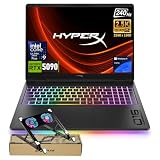


Cooling is the other half of that equation. Larger heatsinks and fans can sustain more power, but they add thickness, weight, and fan noise. In demanding games, the laptop may also share thermal headroom between its CPU and GPU. A power setting that looks impressive on a specification sheet matters less if the system quickly gets too hot or loud to use comfortably.
RTX 5090 laptop options by situation
- For a desktop-replacement setup: Compare 18-inch systems such as the MSI Titan 18 HX AI and ASUS ROG Strix SCAR 18. Their larger chassis can make room for cooling and big displays, though they are bulky and still require a power adapter for full gaming performance.
- For a powerful 16-inch all-rounder: Consider the Razer Blade 16 or an RTX 5090 configuration of the Lenovo Legion Pro 7i, where available. A 16-inch chassis is easier to fit in a bag, but configuration-specific GPU power and cooling deserve close scrutiny. Do not assume a premium or slim design runs at the same sustained power as an 18-inch machine.
- For a portable gaming priority: Look for a thinner 16-inch RTX 5090 model only if its verified weight, power limit, and sustained performance suit your expectations. “Portable” still means carrying a substantial laptop and charger; battery gaming is a separate, much more limited use case.
These are product families, not guarantees that every regional or year-specific configuration includes an RTX 5090. Confirm the GPU, display, memory, and power specification on the exact model before buying.
What the specifications mean in practice
| Decision point | What to compare | Why it matters |
|---|---|---|
| GPU power | Up to 175 W on some configurations; lower limits are possible | Affects sustained GPU performance, but cooling and firmware also set the result |
| Display size | 16 or 18 inches | 18 inches gives more viewing area; 16 inches is easier to carry and place on a desk |
| Resolution | Common premium options include 2560 × 1600 and 3840 × 2400 | Higher resolution can sharpen detail but increases the workload in games |
| Refresh rate | Often around 240 Hz on fast QHD-class panels; some high-resolution panels run slower | Prioritize refresh rate for competitive play; resolution, contrast, and HDR may matter more for cinematic games |
| Memory and storage | Check installed RAM and the number of accessible M.2 slots | Upgrade options vary by chassis; soldered memory or occupied slots can limit future expansion |
| Carrying weight | Compare the laptop and its power adapter together | The adapter can add significant bulk, especially for high-power gaming configurations |
Display specifications vary by exact configuration, and advertised maximum refresh rates are not the same as the frame rate a game will consistently deliver. A 4K-class panel can be attractive for single-player games and creative work, while 2560 × 1600 is often a more balanced target for high-refresh gaming. Upscaling and frame-generation features can help, but they do not make every game behave like native rendering at the same frame rate.
Desktop replacement or portable play?
Choose an 18-inch desktop replacement if…
Your laptop will usually stay on a desk, you value a large screen, and you want the best chance of sustained high GPU power. Compare cooling reviews, fan noise, and port placement as carefully as benchmark peaks. An 18-inch machine can replace a desktop for many gaming setups, but it is not a quiet, lightweight substitute for a tower, and upgrades remain constrained by laptop parts and thermals.
Choose a 16-inch model if…
You move between rooms, travel with the laptop, or want one machine for gaming and general work. Check the measured weight and thickness, then add the charger to judge real carryability. A compact chassis may trade away some sustained performance or run its fans harder under long gaming sessions, so look for tests lasting beyond a short benchmark run.
Choose by display rather than headline resolution if…
You mainly play esports, prioritize a fast refresh rate and responsive panel. For story-driven games, contrast, HDR behavior, and image quality may be more valuable than the highest refresh number. A glossy OLED panel can deliver striking contrast, while an IPS panel may suit buyers who prefer a matte surface; compare brightness, reflections, and the manufacturer’s warranty terms for the specific panel.
Cooling, upgrades, and ownership checks
Gaming laptops need clear air intake and exhaust. Use a hard, flat surface rather than a bed or blanket, keep vents unobstructed, and clean dust from the cooling system periodically according to the manufacturer’s guidance. Dust buildup can raise temperatures and fan noise over time. Avoid assuming that a cooling pad will fix a poorly matched power limit or blocked vents.
Before purchase, check whether RAM is replaceable, how many M.2 SSD slots are available, and whether access requires removing the bottom cover. Many high-end laptops allow storage upgrades, but memory arrangements differ by model. Also inspect the port selection: a laptop intended to stay at a desk benefits from convenient video, USB, and network connections, while frequent travelers may value charging and display connections that reduce dongle use.
Battery life is not the deciding measure for a machine built around a high-power GPU. Gaming away from the charger typically means reduced performance and shorter runtime; for demanding play, plan to use the supplied power adapter. Over several years, fans, batteries, and thermal interfaces are more likely to require attention than the GPU itself, and repairability depends heavily on the specific design.
Bottom line
For maximum screen space and desktop-replacement use, compare the MSI Titan 18 HX AI and ASUS ROG Strix SCAR 18 in their exact RTX 5090 configurations. For a more manageable footprint, compare 16-inch options such as the Razer Blade 16 and Lenovo Legion Pro 7i, paying particular attention to verified GPU power, sustained thermals, and upgrade access. The best RTX 5090 gaming laptops are not simply the ones with the most impressive headline specifications: they are the ones whose power, cooling, screen, and size fit how you will actually play.