Best Windows Flash Drive
What's inside
As an Amazon Associate I earn from qualifying purchases. This post may contain affiliate links at no extra cost to you.
A flash drive still earns its place on your desk even in 2026. Whether you need to hand a contractor their plans on a machine with no internet access, move a large library of high-resolution photos off a workshop laptop, or boot a recovery utility on a locked-down office PC, the right thumb drive solves the problem in seconds. The wrong one corrupts your files, takes twenty minutes to transfer a single gigabyte, or snaps off at the hinge after a month in your pocket.
What separates the good drives from the bad ones here is not brand prestige but a handful of concrete factors: the USB generation the controller actually supports, the sustained write performance at your most common file sizes, the mechanical durability of the connector and housing, and whether the capacity you pay for matches what the drive reports to Windows after formatting. Below, we compare five options across published specs, street prices, and aggregated owner feedback to identify which drive fits which situation.
As an Amazon Associate we earn from qualifying purchases at no extra cost to you.





Our Top Picks




Quick Picks
| Product | Best for | Price |
|---|---|---|
| SANDISK Ultra Flair 128GB | Fast everyday transfers from a standard USB-A port | $25.95 |
| Aiibe 128GB USB 2.0 | Cheap bulk storage when speed is irrelevant | $17.99 |
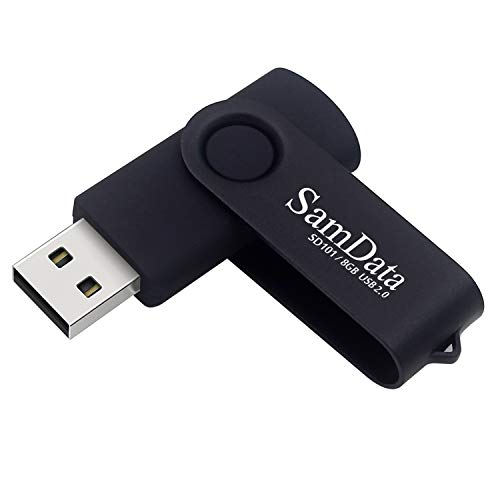
| SamData 8GB Swivel | Boot media and single-file handoffs on a tight budget | $7.99 |
| Lexar D40E 128GB Type-C | Moving files between a USB-C laptop and a USB-A desktop | $29.99 |
| IMEASON 16GB Keychain | Carrying a small file set everywhere without losing the drive | $8.99 |
How We Picked
We evaluated every drive on four criteria: the interface generation and its realistic throughput ceiling (USB 2.0 tops out at roughly 480 Mbps theoretical, USB 3.0 and 3.2 Gen 1 push well past that), the capacity-to-price ratio for the storage volume Windows will actually report after formatting, the physical form factor and its vulnerability to breakage or connector wear, and compatibility breadth — whether the drive works across the mix of ports most users encounter in a shop, office, or home environment. We also weighed patterns in owner feedback, flagging drives where a high percentage of buyers reported early controller failure or suspicious capacity inflation.
The 5 Best Windows Flash Drive in 2026
SANDISK 128GB Ultra Flair USB 3.0
This is the drive for anyone who moves files daily and wants a metal body that shrugs off the abuse of a keyring or toolbox. The USB 3.0 interface means sequential transfers run circles around any USB 2.0 stick on this list, and the 128 GB capacity handles a full project archive without you having to juggle multiple drives.
- Pro: USB 3.0 throughput makes large photo or video libraries transfer in minutes rather than the extended waits you get from USB 2.0 sticks.
- Pro: Stainless steel swivel housing protects the connector and resists the dings a metal body will otherwise accumulate in a pocket.
- Con: The low-profile metal body is easy to overlook on a desktop, and some owners report it slips from shallow USB ports during laptop tilts.
Skip it if you only need a few gigabytes or your machine has no USB 3.0 port, in which case the speed advantage is irrelevant and you overpaid for the interface.
Aiibe 128GB USB 2.0 Thumb Drive
The Aiibe earns its spot purely on cost per gigabyte. At under eighteen dollars for 128 GB, it undercuts name-brand USB 3.0 drives on price while matching their raw capacity. This suits a buyer who needs a cold-storage repository — an archive of shop manuals, a set of CNC toolpath files, or a backup partition — and does not care how long the write takes.
- Pro: Lowest price per gigabyte among the 128 GB options, making it practical to stock several for redundancy.
- Pro: Simple plug-and-play recognition across Windows versions without proprietary drivers or formatting quirks.
- Con: USB 2.0 interface caps sustained writes at a fraction of what USB 3.0 drives deliver, so transferring a large file set feels sluggish.
Skip it if you routinely move files over ten gigabytes in a single session or need the drive to perform well when connected to an older USB 2.0 hub where its ceiling is the same as cheaper sticks anyway.
SamData 8GB Swivel USB 2.0
Eight gigabytes is not a lot, but for the specific job of holding a bootable rescue image, a firmware update package, or a handful of documents you hand to a client, it is more than enough. The swivel design adds a small mechanical advantage over exposed-connector sticks because the plug never lives in the open when the drive is idle.
- Pro: At under eight dollars it costs less than most single-use gifts, making it disposable enough to hand out without worry.
- Pro: LED activity indicator gives visual confirmation of read or write state, which is useful when you need to know safe-remove status at a glance.
- Con: Eight gigabytes fills quickly with any media-heavy workload, and the USB 2.0 interface makes even modest writes feel slow relative to modern drives.
Skip it if you anticipate storing photos, music, or project files that will grow past a few gigabytes within a month; the price difference to a 16 or 32 GB option is small enough to justify up-sizing immediately.
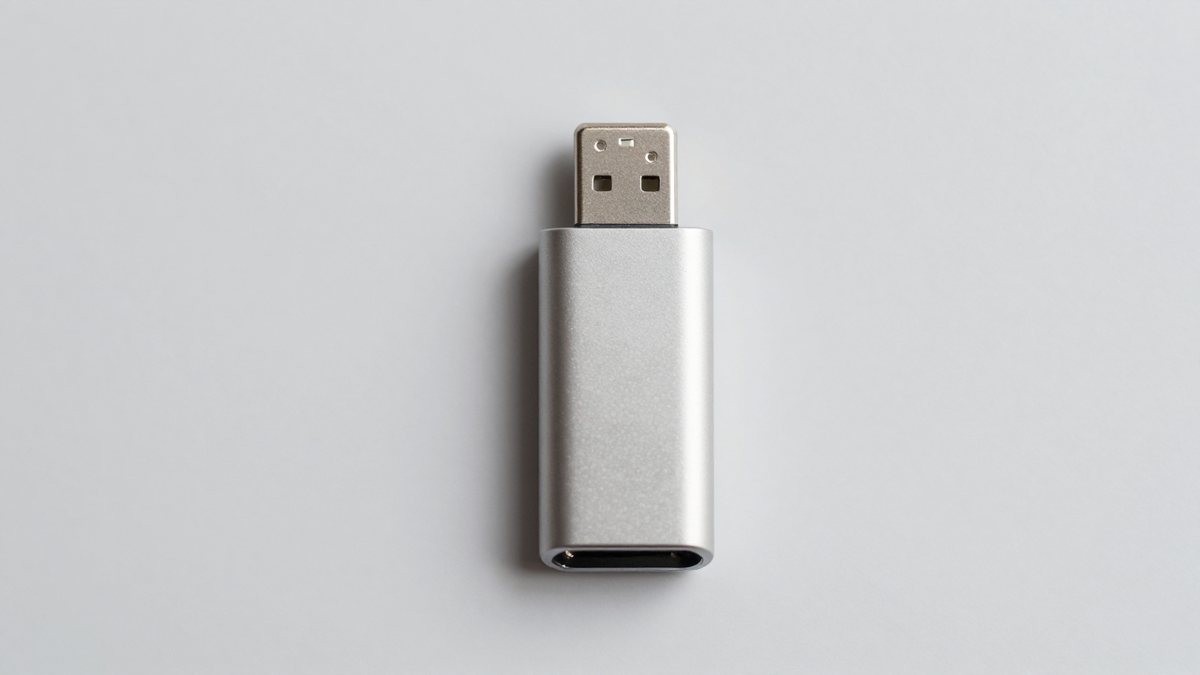
Lexar D40E 128GB Dual USB 3.2 Gen 1 Type-C
This drive exists to solve one specific annoyance: your new laptop has USB-C ports only, but the shop PC, the client’s desktop, and the old projector in the conference room all expect USB-A. The dual-connector design means you never carry an adapter or juggle two drives again.
- Pro: USB 3.2 Gen 1 throughput on both ends handles large transfers quickly regardless of which connector is in use.
- Pro: The champagne-silver aluminum shell feels premium in hand and dissipates heat better than the plastic bodies common at this price tier.
- Con: The retractable mechanism adds a failure point; a handful of owners report the slider sticking or the Type-C end becoming wobbly after months of frequent use.
Skip it if every port you touch is USB-A, since the Type-C connector adds cost you will never use and the dual design makes the body slightly bulkier than single-connector sticks.
IMEASON 16GB Swivel USB Flash Drive with Keychain
The keychain loop and swivel cover make this the drive most likely to actually stay with you rather than vanish into a drawer. Sixteen gigabytes covers a reasonable working set — a day’s worth of field photos, a set of spreadsheets, or a music collection for a shop radio — and the FAT32 factory format means it reads on anything from a car stereo to a legacy CNC controller without reformatting.
- Pro: Integrated keychain ring means the drive is always within reach and statistically less likely to be lost.
- Pro: FAT32 out of the box provides broad device compatibility, including embedded systems and older media players that reject exFAT or NTFS.
- Con: USB 2.0 speed makes it a poor choice for large or frequent transfers, and the 16 GB ceiling limits its role to small working sets.
Skip it if you regularly handle files exceeding a few hundred megabytes in total or if you need the drive to serve as a primary storage medium rather than a small transfer buffer.
Buying Guide
Interface Generation Determines Your Real-World Speed
The single most consequential spec on a flash drive is its USB generation. USB 2.0 controllers, even in drives claiming high read speeds, sustain writes in the range of 5 to 15 MB/s under typical conditions. USB 3.0 and 3.2 Gen 1 drives commonly sustain 30 to 100 MB/s or more, cutting the time to fill a 128 GB drive from well over an hour to a matter of minutes. If your workflow involves moving video, large CAD exports, or photo archives, the premium for a 3.x-class drive pays for itself the first time you use it. If you transfer single documents or small PDFs, the difference is academic.
Form Factor and Durability Are Not Cosmetic
Flash drives fail mechanically far more often than electronically. An exposed-connector stick in a pocket collects lint, gets pressed against keys, and wears the metal shell until the connector loosens. Swivel designs protect the plug without adding a cap you will lose. Retractable sliders protect the connector but introduce a moving part that can jam. A metal housing adds rigidity and heat dissipation but increases weight and the chance the drive’s own mass pulls a flexible port out of alignment. Choose the form factor that matches where the drive will physically live: keychain, laptop slot, or drawer.
Capacity Planning Should Account for Formatting Overhead
Windows reports formatted capacity using binary calculation while manufacturers use decimal marketing, so a 128 GB drive shows roughly 119 GB in File Explorer. Plan for this gap. If you need to store a 100 GB project archive, a 128 GB drive is adequate. If your archive is already 115 GB, it is not. Additionally, drives with very low stated capacities (8 or 16 GB) leave little headroom once the file system itself and any pre-installed vendor software consume space, so always buy the next size up from your current need unless the drive is purely for boot media or a single handoff file.
Our Verdict
The SANDISK Ultra Flair 128 GB is the top pick for most readers: it balances USB 3.0 speed, generous capacity, and a durable metal body at a price that undercuts the dual-connector Lexar while delivering comparable real-world transfer rates on a standard USB-A port. For budget-conscious buyers who need raw storage volume and can tolerate slow writes, the Aiibe 128 GB USB 2.0 offers the best dollar-per-gigabyte figure in this roundup. The Lexar D40E wins outright if your daily workflow crosses between USB-C and USB-A devices; its dual-connector design eliminates the adapter friction that no other drive on this list addresses.
FAQ
Will a USB 3.0 flash drive work in a USB 2.0 port?
Yes. USB is backward compatible, so a 3.0 drive in a 2.0 port will function normally but at USB 2.0 speeds. You will not damage the drive or the port by mixing generations.
Why does my 128 GB drive show only 119 GB in Windows?
Manufacturers define one gigabyte as one billion bytes (decimal), while Windows calculates using powers of 1024 (binary). This difference compounds at higher capacities and is not a sign of a counterfeit or defective drive. The file system overhead for the allocation table also consumes a small fraction of usable space.
Is FAT32 still worth using over exFAT or NTFS?
FAT32 remains the safest choice for cross-device compatibility, especially with embedded systems, car audio, printers, and older operating systems that may not recognize NTFS. Its main limitation is a four-gigabyte maximum file size, so any single file larger than that requires exFAT or NTFS formatting instead.
How many write cycles does a flash drive survive before failure?
Consumer-grade NAND typically endures 500 to 3,000 program-erase cycles per cell depending on the flash type used. In practice this translates to years of normal document and media transfers before wear becomes a concern. Drives used for constant small-file rewrites (temporary databases, log files) will exhaust their endurance far faster than those used for periodic large-file backups.