How to Check Table Saw Arbor Runout Before Precision Work
What's inside
As an Amazon Associate I earn from qualifying purchases. This post may contain affiliate links at no extra cost to you.
Contents
What arbor runout means
Arbor runout is the amount the saw’s arbor or blade mounting surface wobbles as it rotates. Excessive runout can make a blade cut wider than its stated kerf, leave repeating marks on an edge, or produce vibration. It is not the only cause of a poor cut: a dirty blade, a loose blade, a misaligned fence, or a blade that is itself out of true can create similar symptoms.
Check runout before precision work if you have unexplained vibration, inconsistent cut quality, or a blade that seems to wobble. A dial indicator gives a useful measurement, but the result depends on where you measure and whether the arbor and blade flange are clean.
Tools and safety
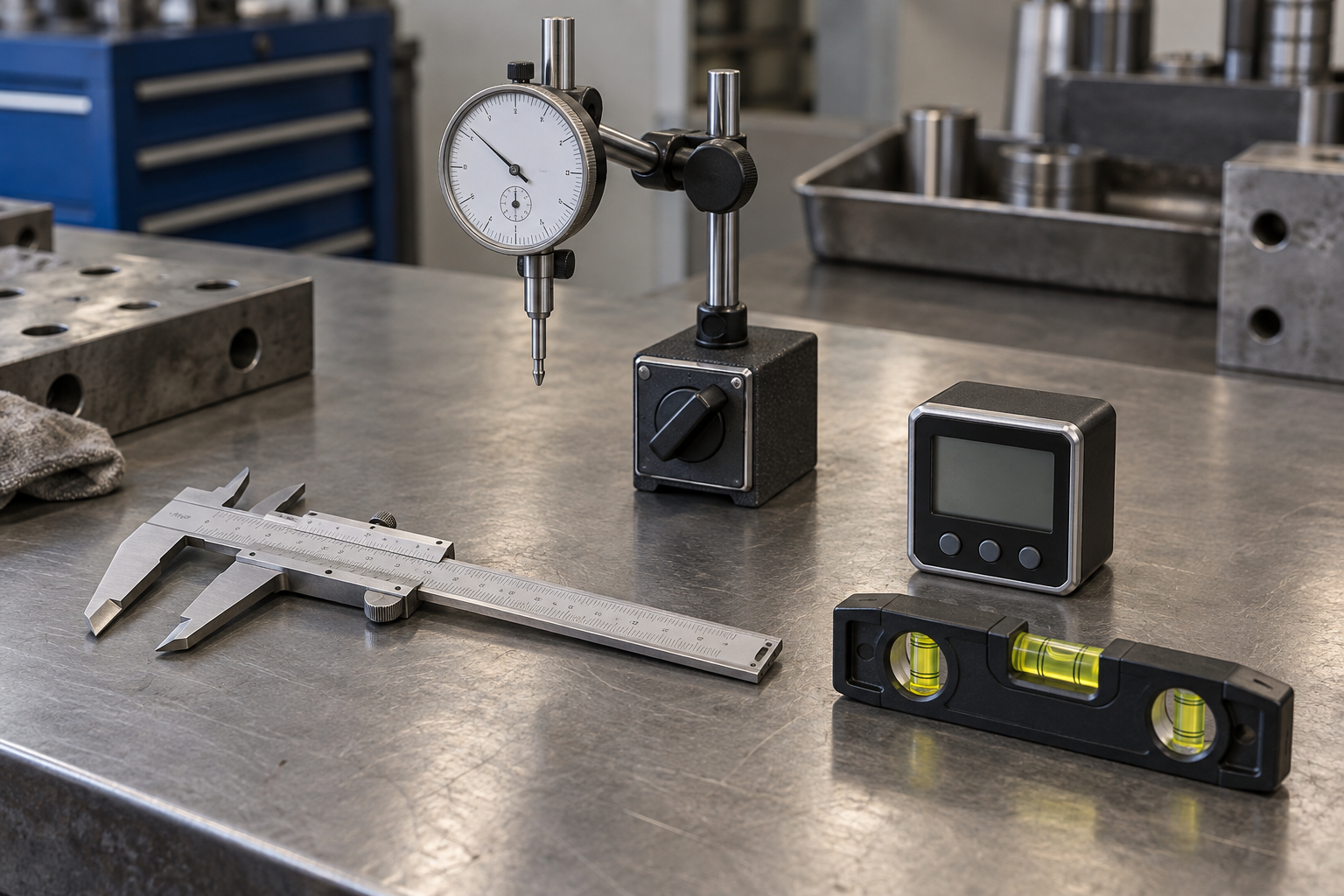
Unplug the saw; do not rely on its switch. Remove the blade and throat plate, then follow the manual’s instructions for safe access to the arbor. Keep the saw disconnected throughout the measurement. You will need a dial indicator with a magnetic base or a rigid clamp, plus a wrench for the arbor nut. A basic dial indicator and magnetic base is adequate for occasional checks. A higher-quality indicator may be easier to read, but resolution alone does not make the setup accurate.
Use an indicator with 0.001-inch graduations if possible. A 0.0005-inch indicator can show smaller changes, but a flexible stand or rough contact surface can make those digits misleading. Keep fingers clear of the arbor and indicator tip as you turn the arbor by hand.
Prepare the saw
Brush away sawdust and pitch around the arbor, flange, and blade washer. Check that the arbor nut and flange are not damaged. A tiny piece of debris trapped between the blade and flange can tilt the blade and imitate runout. Do not use a file or abrasive on a precision surface unless the manufacturer recommends it; removing metal can make the problem worse.
Confirm the arbor has no obvious looseness. With the saw unplugged, gently try to move the arbor side to side and in and out. Noticeable play may indicate worn bearings or another mechanical fault. Do not treat that movement as ordinary runout or attempt to compensate by changing blade alignment.
Measure arbor runout
Attach the indicator base to a rigid part of the saw, such as the table, and position the tip against a clean, accessible cylindrical section of the arbor. The tip should meet the surface close to perpendicular. Apply just enough preload to keep it in contact through a full rotation; excessive pressure can deflect the stand or arbor.
Turn the arbor slowly by hand through one full revolution. Record the highest and lowest readings; the difference is total indicated runout (TIR). Repeat the rotation to see whether the reading is consistent. If it changes substantially between passes, check the base and contact point for movement, dirt, or a rough surface.
Measure on a smooth section, not on threads, keyways, or a damaged spot. If the arbor has no suitable exposed cylindrical surface, use the clean blade-mounting flange face for a face-runout check, with the indicator tip touching near the flange’s outer edge. This measures wobble of that face, not the arbor’s cylindrical runout, so label the result accordingly.
Check the flange and blade
Runout at the arbor does not tell the whole story. Check the flange face separately, then mount a known-good blade, tighten the nut normally, and measure the blade plate near the rim but below the teeth. Rotate by hand and record TIR. Avoid touching carbide teeth with the indicator tip. If the arbor reading is low but the mounted blade reading is high, the blade, flange, or seating surfaces may be responsible.
To separate a blade fault from a mounting fault, remove and reseat the blade, then repeat the test. You can also mark one point on the blade and compare readings after rotating the blade relative to the arbor, if the arbor design allows it. A high spot that follows the blade points toward blade distortion; one that remains at the same saw position points toward the arbor or flange. This is a diagnostic clue, not a substitute for inspecting both surfaces.
How to interpret the readings
There is no single runout limit that applies to every saw, measurement location, or indicator setup. Consult the saw manual or manufacturer before deciding that a reading requires repair. As a practical screening guide, a repeatable reading around 0.001 inch or less at a clean mounting surface is generally encouraging; readings of several thousandths deserve investigation before demanding work. These are not universal acceptance specifications.
Do not chase the last tenth of a thousandth with a loose magnetic base or a rough contact point. Measurement repeatability matters: if repeated checks vary by 0.002 inch, a reported 0.001-inch difference is not meaningful. The table below helps narrow down the likely source.
| Result | Likely area to inspect | Next step |
|---|---|---|
| Arbor and flange readings are high | Arbor, bearings, or mounting setup | Repeat with a rigid setup; consult the manual or service support if confirmed |
| Arbor reading is low; flange face is high | Flange face, dirt, or damage | Clean and inspect the flange; do not grind it without guidance |
| Arbor and flange are low; blade reading is high | Blade plate, blade seating, or blade cleanliness | Reseat the blade and test a known-good blade |
| Readings vary between rotations | Loose stand, inconsistent contact, or rough surface | Stiffen and reposition the indicator before drawing conclusions |
When to repair—and what to buy
If runout is repeatable and beyond the saw maker’s specification, stop precision work and contact the manufacturer or a qualified repair shop. A bent arbor or worn bearing is not fixed by aligning the fence. Avoid hammering the arbor or trying to bend it straight; that can damage bearings and create a safety hazard. If the saw has obvious play, unusual bearing noise, or a blade that shifts while running, leave it unplugged until inspected.
For occasional diagnosis, an affordable indicator kit is fine if its stand holds firmly and the readings repeat. If the magnetic base cannot attach securely inside the saw, a clamp-style indicator base may fit better, though it still needs a rigid mounting point. A straightedge and feeler gauges can reveal a visible gap or dirt on a flange, but they cannot measure small rotational runout as reliably. Spend on a better indicator only if you will use it often; setup quality and careful technique matter more than buying the most finely graduated gauge.