Best Planers with Adjustable Feed Speeds for Mixed Wood Species
What's inside
As an Amazon Associate I earn from qualifying purchases. This post may contain affiliate links at no extra cost to you.
Contents
Why adjustable feed speed matters
A planer’s feed rate affects both finish and productivity. Slower feed gives the cutterhead more chances to make cuts along each inch of board, which usually helps with difficult grain and reduces visible scalloping. Faster feed saves time on straight-grained stock, but can leave a rougher surface or make tear-out worse on figured wood.
Feed speed is only one part of the result. Sharp knives or inserts, cutterhead type, depth of cut, grain direction, and board support all matter. A machine with adjustable feed is useful when you regularly switch between species or grain patterns; it is not a substitute for a sharp cutterhead or sensible cuts.
What to look for before buying
Check whether the machine offers genuinely selectable feed rates, rather than a single fixed speed. Common rates are around 16 and 20 feet per minute, though specifications vary. A wider range can be helpful, but two well-chosen speeds are enough for many small shops.
Also compare maximum width, cutterhead design, and depth-of-cut limits. Benchtop planers commonly handle boards around 12 to 13 inches wide. Larger stationary machines may take 15 inches or more, but need more floor space and usually cost substantially more. A helical or segmented carbide head can leave a smoother finish on difficult grain and lets you rotate or replace individual inserts, but adds purchase cost. Straight knives are cheaper to sharpen or replace and work well on clean, cooperative stock.
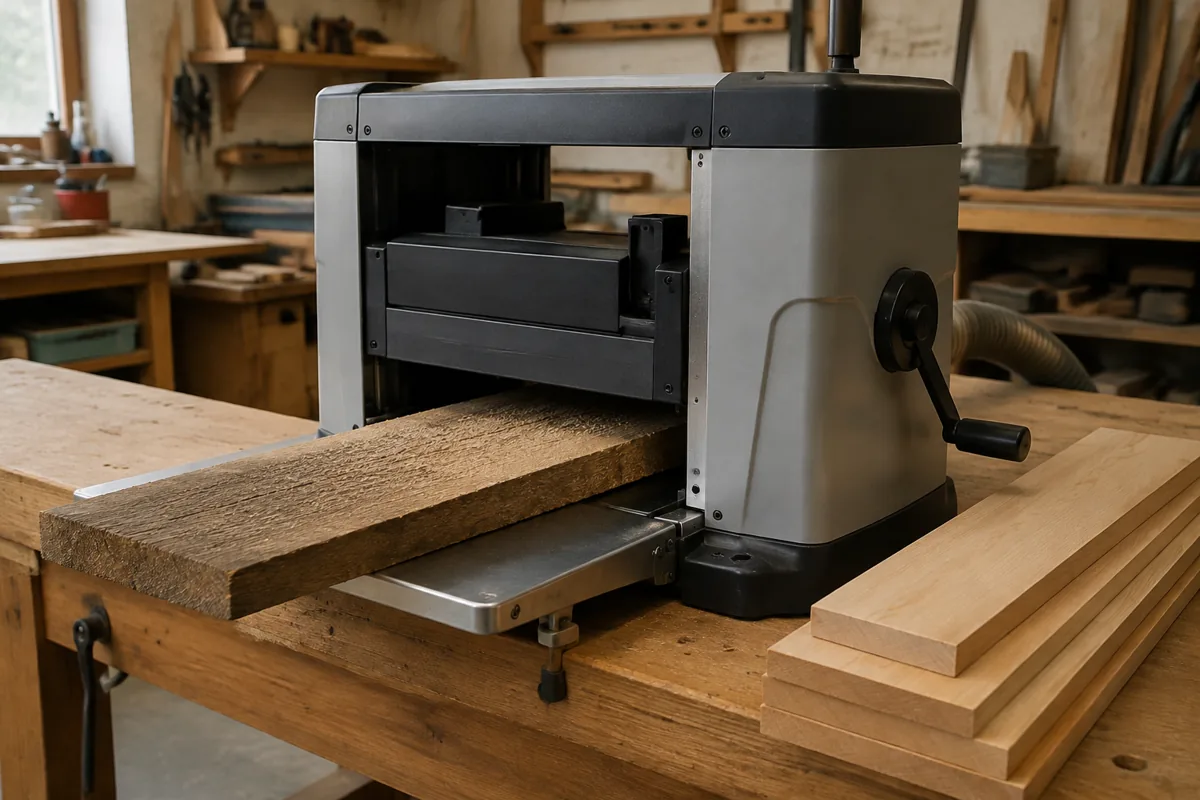
Look for a clear mechanism for changing feed speed, accessible rollers, and replacement parts you can actually obtain. A speed control that is hard to reach or maintain is less useful than it sounds. For a basic shop, start by comparing benchtop planers with adjustable feed speed; confirm the manual lists more than one feed rate before buying.
How the main options compare
| Option | Best fit | Main trade-off |
|---|---|---|
| Benchtop planer with two feed rates | Small shops processing mixed species and moderate board widths | Portable and less expensive, but limited capacity and often less mass than floor machines |
| Stationary planer with selectable speeds | Frequent use, wider stock, or a shop that needs more production capacity | Higher cost, greater space needs, and heavier electrical and dust-collection demands |
| Single-speed benchtop planer | Occasional work in mostly straight-grained lumber | Cheaper, but offers less control over finish and difficult grain |
For a higher-capacity shop, compare stationary thickness planers with selectable feed speeds. Check the actual feed-rate settings, voltage, and footprint in the manufacturer’s specifications; “variable speed” in a listing may refer to something other than board feed.
Matching feed speed to the wood
Start with the slower setting for curly maple, bird’s-eye maple, figured cherry, or boards with reversing grain. Take a light pass—about 1/32 inch is a sensible starting point—then inspect the surface. If the cut is clean and the grain is stable, try the faster setting on a test board. Slow feed will not eliminate tear-out if the grain rises into the cutter; orient the board to cut with the grain where possible, and reduce depth of cut if the surface is still breaking out.
For straight-grained pine, poplar, or ordinary softwood, the faster setting is often fine. Soft species can still dent or tear, so don’t assume every softwood is easy. Knots and abrupt grain changes deserve a light pass and a slower rate, regardless of species.
Hard maple, beech, and other dense woods put more load on the cutterhead. Use a conservative depth of cut and watch for burn marks, chatter, or a motor that bogs down. Slowing the feed can improve the finish, but it does not make an overly deep cut safe. If the machine struggles, reduce the cut or sharpen the knives before changing speed again.
Common problems and their causes
Raised ridges or repeating scallops often point to dull knives, a damaged insert, or cutterhead setup—not simply a feed rate that is too fast. Tear-out concentrated around knots or reversing grain calls for less depth, slower feed, and better grain orientation. Snipe at the ends of a board is usually related to infeed or outfeed support, roller pressure, or machine setup; changing feed speed alone rarely fixes it.
Keep boards flat against the bed and support long stock level on both sides. Remove dirt and resin from the bed, and inspect the cutterhead when the finish suddenly worsens. Never reach near the rollers or cutterhead to clear a jam while the machine is plugged in. Follow the manual’s guidance for disconnecting power before cleaning or service.
Is adjustable speed worth the extra cost?
Choose adjustable feed if your lumber regularly includes figured hardwoods, mixed species, or boards that need a better planed surface before sanding or glue-up. It offers a practical way to trade throughput for finish. A cutterhead upgrade may make an even bigger difference on highly figured stock, though that depends on the machine and the cost of the upgrade.
A single-speed planer is a reasonable buy if you mostly plane straight-grained boards, work in short sessions, and are comfortable sanding or taking a final pass with a hand plane. Don’t pay extra for multiple speeds you are unlikely to use. Compare total cost—including knives or inserts, dust collection, and stand—against the volume and width of stock you actually process. The best choice is the machine whose feed settings, capacity, and maintenance fit your work, not the one with the longest feature list.