How to Reduce Noise from a Stationary Woodworking Planer
What's inside
As an Amazon Associate I earn from qualifying purchases. This post may contain affiliate links at no extra cost to you.
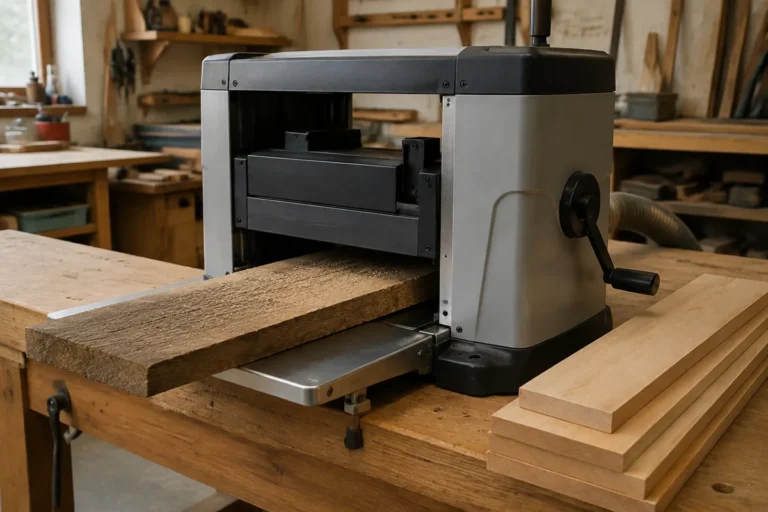
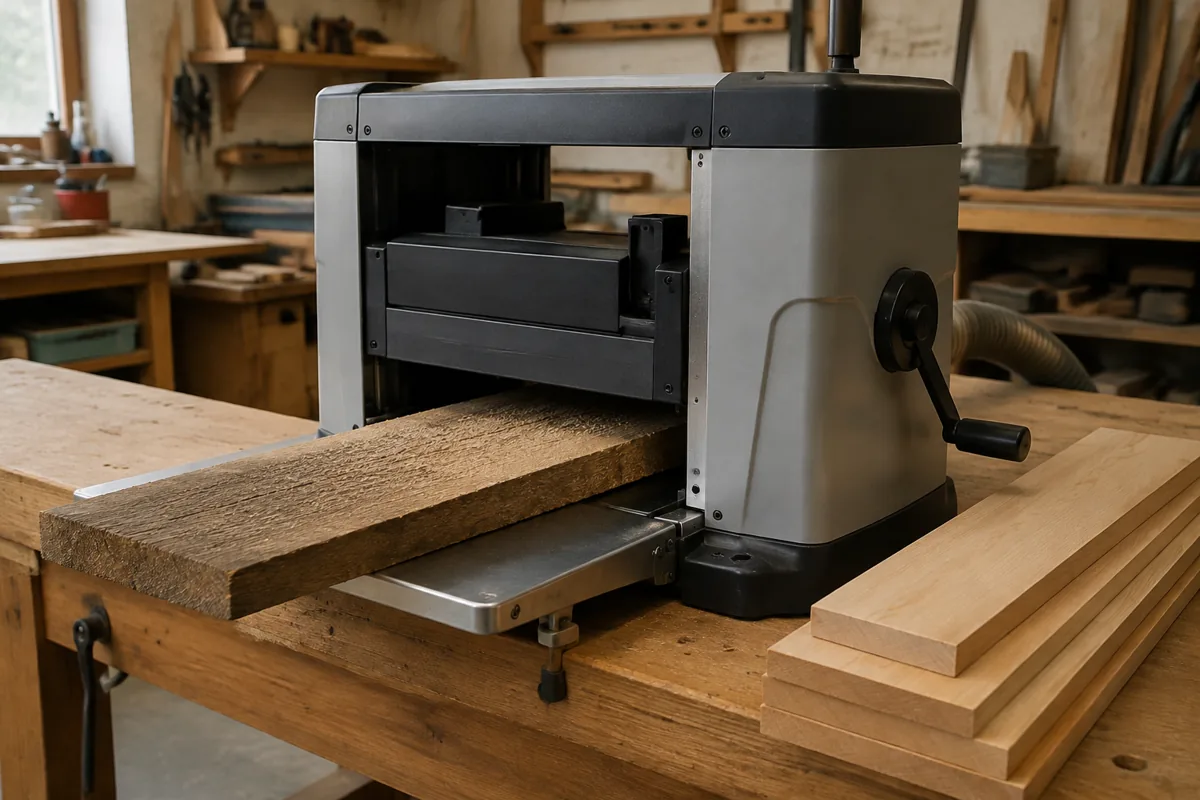
A stationary thickness planer is one of the loudest machines in a small woodshop. The cutterhead produces a sharp, high-pitched whine, while the motor, feed rollers, and chips add lower mechanical noise. You can make the planer less disruptive, but a mat or enclosure will not turn it quiet. Start by finding the main source, then use measures that do not restrict chip removal or access to moving parts.
Contents
Measure the noise before changing anything
A phone sound-meter app can help compare changes, even if it is not a calibrated safety instrument. Measure from the same spot each time—about 3 feet from the planer is practical—and note the reading while the machine is running under a typical cut. Also listen for rattles, vibration, or a sudden change in pitch. Those can point to a loose cover, dull knives, or a mechanical problem rather than a need for soundproofing.
Many portable and stationary planers produce sound levels around or above 90 dBA near the operator, depending on the machine, cut, and room. At that level, hearing protection is important. Use properly rated earplugs or earmuffs whenever planing; noise reduction at the source is not a substitute.
Start with the cutterhead and maintenance
Knives or inserts that are dull, nicked, or installed incorrectly can make the planer work harder and sound rougher. Check the manual for the inspection and replacement procedure. On a straight-knife machine, replace or sharpen knives as a matched set, and follow the specified setting method. On an insert-head planer, rotate or replace damaged inserts as directed. Never inspect or service the cutterhead with the machine plugged in.
Check that covers, fasteners, and dust-collection fittings are secure. A loose sheet-metal cover can buzz loudly even when the planer itself is in good condition. Do not lubricate bearings or adjust belts unless the manual calls for it; adding lubricant to sealed bearings or changing belt tension by guesswork can cause damage. If the sound includes grinding, a rhythmic knock, or a new bearing-like rumble, stop using the planer and investigate before adding insulation around it.
Reduce vibration through the floor and stand
Confirm the planer is sitting level on a rigid stand or floor and that its feet are firmly supported. Tighten the stand’s fasteners and check for wobble. A machine that rocks can transmit vibration into a wooden floor, which then acts like a speaker. Moving it onto a concrete floor, when practical, often helps more than adding soft material under every foot.
A dense rubber isolation pad can reduce some vibration, particularly on a hard floor, but it must support the machine safely. Avoid thick, squishy foam: it can let a heavy planer shift during operation. If you use a pad, choose one rated for the machine’s weight and check that the stand remains stable. A pad may reduce floor-borne rumble, but it will do little for the cutterhead’s airborne whine.
Manage chips and room acoustics
Connect the planer to suitable dust collection. A blocked hood or poor chip flow can cause buildup, interfere with cuts, and create extra rattling. Use a hose and collector sized according to the planer and collector manufacturer’s requirements; a shop vacuum is not automatically a good substitute for the high chip volume from a planer. Keep the hood clear and check that the hose does not strike the machine or vibrate against a wall.
Hard, bare walls and ceilings reflect sound back into the shop. Rugs, curtains, or purpose-made acoustic panels can reduce reflected noise, making the room less harsh, but they do not stop much sound from traveling through walls. Keep absorbent materials away from the cutterhead, belts, motor vents, and dust path. Do not cover the planer or enclose it tightly to trap sound: poor ventilation can overheat the motor, and trapped chips create a fire and maintenance hazard.
Compare practical noise-control options
| Option | What it can help with | Main trade-off |
|---|---|---|
| Maintenance and tightening | Rattles, rough running, and excess vibration | Won’t eliminate normal cutterhead whine |
| Stable stand or suitable isolation pad | Vibration transmitted into the floor | Soft or undersized pads can make the machine unstable |
| Acoustic treatment in the room | Reflected sound and echo | Limited effect on sound passing through walls |
| Remote operation or a separate room | Noise exposure near the operator and in occupied spaces | Requires safe controls, space, and chip collection |
Choose equipment for the actual problem
If floor vibration is the issue, look for a heavy-duty rubber anti-vibration pad sized for the planer’s weight. This is a low-cost experiment when the machine is stable already. If the main complaint is an echoing shop, workshop acoustic panels may make the space more comfortable, but do not expect them to soundproof it.
For many shops, the best purchase is simply hearing protection that fits well and is comfortable enough to wear for the full job. Compare the labeled noise reduction rating, fit, and compatibility with safety glasses; a high rating on the package does not guarantee a good seal on your ears. A pair of over-ear hearing-protection earmuffs is convenient, while earplugs can be easier to wear under a face shield or in hot conditions. Follow the manufacturer’s guidance for fit and use.
Avoid unsafe shortcuts
Do not remove guards, bypass interlocks, or build a sealed box around a running planer. Do not put loose blankets, foam, or other combustible material near the motor, belts, cutterhead, or chip outlet. A purpose-built acoustic enclosure is only appropriate if it preserves ventilation, dust collection, access for maintenance, and safe control of the machine. In a small shop, a safer and often more effective choice is to schedule planing when noise is acceptable, keep the planer away from shared walls, and use hearing protection consistently.
If routine maintenance does not resolve a new or unusually loud noise, stop and consult the manual or a qualified repair technician. A planer that sounds different may need repair, not insulation.