How to Choose the Right Feed Rate for a Thickness Planer
What's inside
As an Amazon Associate I earn from qualifying purchases. This post may contain affiliate links at no extra cost to you.
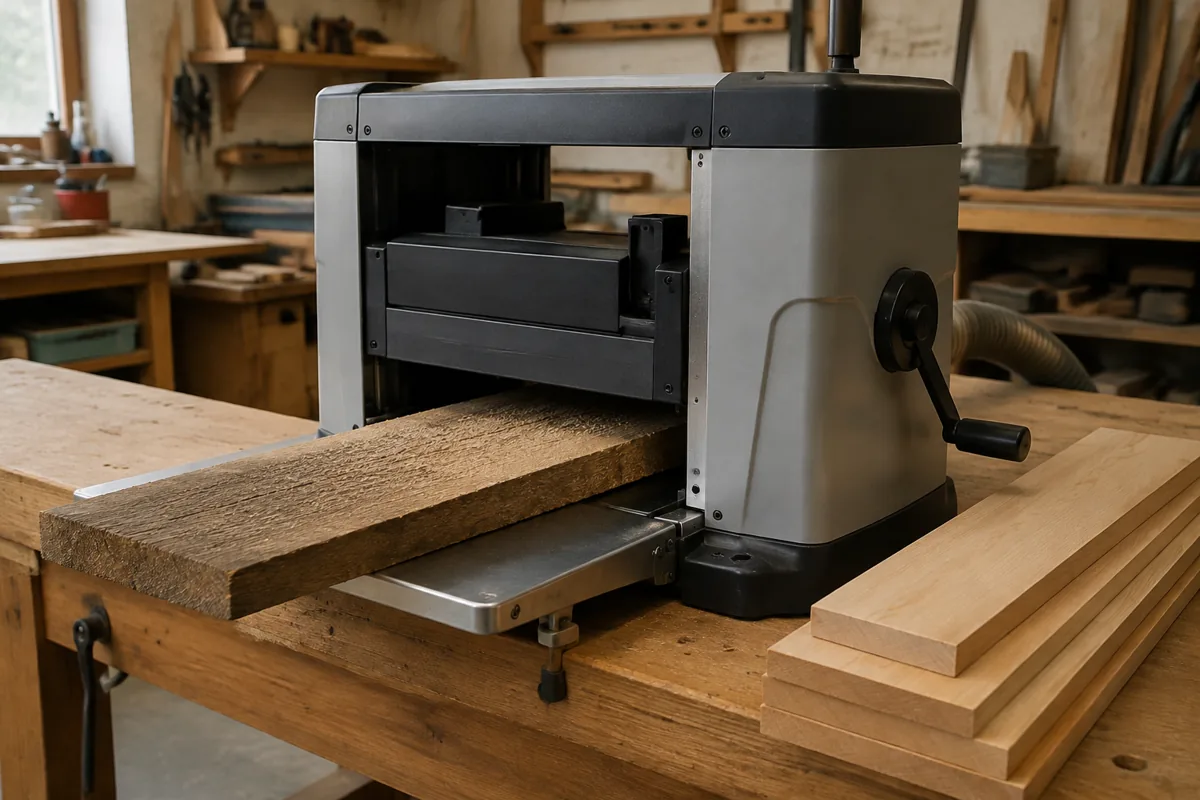
Feed rate is the speed at which a thickness planer moves stock past its cutterhead. On many benchtop planers, the operator chooses between two preset speeds; larger machines may offer a wider range or a variable-speed control. A faster setting gets the job done sooner. A slower one usually gives each knife more chances to cut the wood, which can improve the finish. The right choice depends on the planer, the wood, the cut, and the result you need.
Contents
Understand what the settings change
Feed rate is commonly listed in feet per minute (FPM), while cut quality is often described in cuts per inch (CPI). At a given cutterhead speed and knife count, slower feeding produces more cuts per inch. More cuts generally mean shallower scallops and less sanding, but they do not guarantee a clean surface: dull or poorly set knives can leave a rough finish at any speed.
Check the manual for your machine’s actual feed rates and which setting is intended for your stock. A common two-speed benchtop planer might feed around 16 FPM on its faster setting and 10 FPM on its slower one, but these figures vary. Do not assume the lower speed is suitable for every material or cut; follow the manufacturer’s limits.
Choose by job, not just by wood species
Use the faster setting when stock is straight-grained, the knives are sharp, and you are removing a modest amount of material. It is a practical choice for dimensioning ordinary boards when a little extra sanding is acceptable. Use the slower setting for a final pass when the surface matters, or when grain changes direction and tear-out is more likely.
Feed rate is only one part of the cut. Take light passes—often around 1/32 inch for a finishing cut—and reduce depth further on wide boards or difficult grain. A heavy cut can overload a small planer, strain its feed rollers, and leave ridges or snipe even at the slowest setting. If the motor labors, the board stalls, or the surface gets worse, stop and reduce the depth of cut rather than forcing the stock.
Species alone does not determine the setting. A straight-grained hard maple board may plane cleanly at a moderate rate, while a softer board with reversing grain can tear out. Inspect the grain direction and test a short offcut if you are unsure. For figured wood, a sharp cutterhead, shallow passes, and slow feed are a safer combination, though severe tear-out may still require a different approach, such as a drum sander or hand plane.
Fast feed versus slow feed
| Setting | Best suited to | Trade-off |
|---|---|---|
| Faster feed | Routine sizing, straight grain, and work where sanding will follow | Higher output, but more visible cutter marks may remain |
| Slower feed | Finishing passes, figured grain, or stock that needs a cleaner surface | Better potential finish, but less material processed per hour |
| Either setting with a heavy cut | Generally avoid this on small planers | Can cause motor strain, rough cuts, feed problems, and excess snipe |
Control tear-out, ridges, and snipe
Tear-out happens when the knives lift and break fibers instead of slicing them cleanly. Try feeding the board so the cutterhead meets the grain in a favorable direction, but reversing grain can make that impossible along the full length. A slower feed and lighter cut can reduce the damage. If it persists, stop: repeated passes may deepen the tear-out rather than fix it.
Long ridges or a washboard-like surface can point to dull knives, resin buildup, poor knife alignment, or a feed problem—not simply an overly fast setting. Check and clean the cutterhead as directed in the manual, and replace or rotate disposable knives when needed. Disconnect power before inspection or maintenance. Snipe—deeper cuts near a board’s ends—is often related to the board lifting or dipping on the infeed or outfeed tables. Support long stock level, keep light pressure on the board rather than forcing it into the machine, and leave extra length to trim off if the work allows.
Make a test pass and judge the result
When changing species, grain, or thickness, start with a scrap piece or an offcut. Set the planer for a shallow cut and the slower feed if the finish is important. Check for tear-out, ridges, burning, and motor strain. If the cut is clean and you are removing stock for a later sanding step, try the faster setting on the next pass. Change one variable at a time so you can tell what helped.
Measure thickness at several points after each pass. Feed rate affects throughput and surface quality; it does not correct a board that is bowed, twisted, or cupped. A planer makes the opposite face parallel to the face riding on the bed, so badly warped stock may need to be flattened on a jointer or with a sled before thicknessing.
What to look for when buying
If you mostly plane construction lumber or rough boards that will be sanded, a basic single-speed planer can be adequate. It costs less, has fewer controls, and is easier to choose: manage the finish by taking light cuts and maintaining sharp knives. For regular furniture work, figured hardwood, or jobs that alternate between fast sizing and cleaner finishing, two feed speeds are useful. A two-speed benchtop thickness planer gives you that choice without requiring a variable-speed industrial machine.
Compare the actual feed rates, maximum stock width and thickness, cutterhead type, replacement-knife availability, and dust-collection requirements. A helical cutterhead may reduce tear-out and can be quieter than a straight-knife head, but replacement inserts add cost. It does not remove the need for careful depth-of-cut choices. For a small shop that planes occasional boards, spending more for variable speed may not pay off; sharper knives and better stock support can make a bigger difference.
If you routinely process wide, hard, or figured stock, look at heavier machines with a robust feed system and readily available service parts. A stationary thickness planer with variable feed offers more control, but costs more and takes more floor space. Buy that capability when your work benefits from frequent adjustments, not just because a slower number sounds better.