How to Adjust Table Saw Trunnions for Blade Alignment
What's inside
As an Amazon Associate I earn from qualifying purchases. This post may contain affiliate links at no extra cost to you.
Contents
What trunnion adjustment does
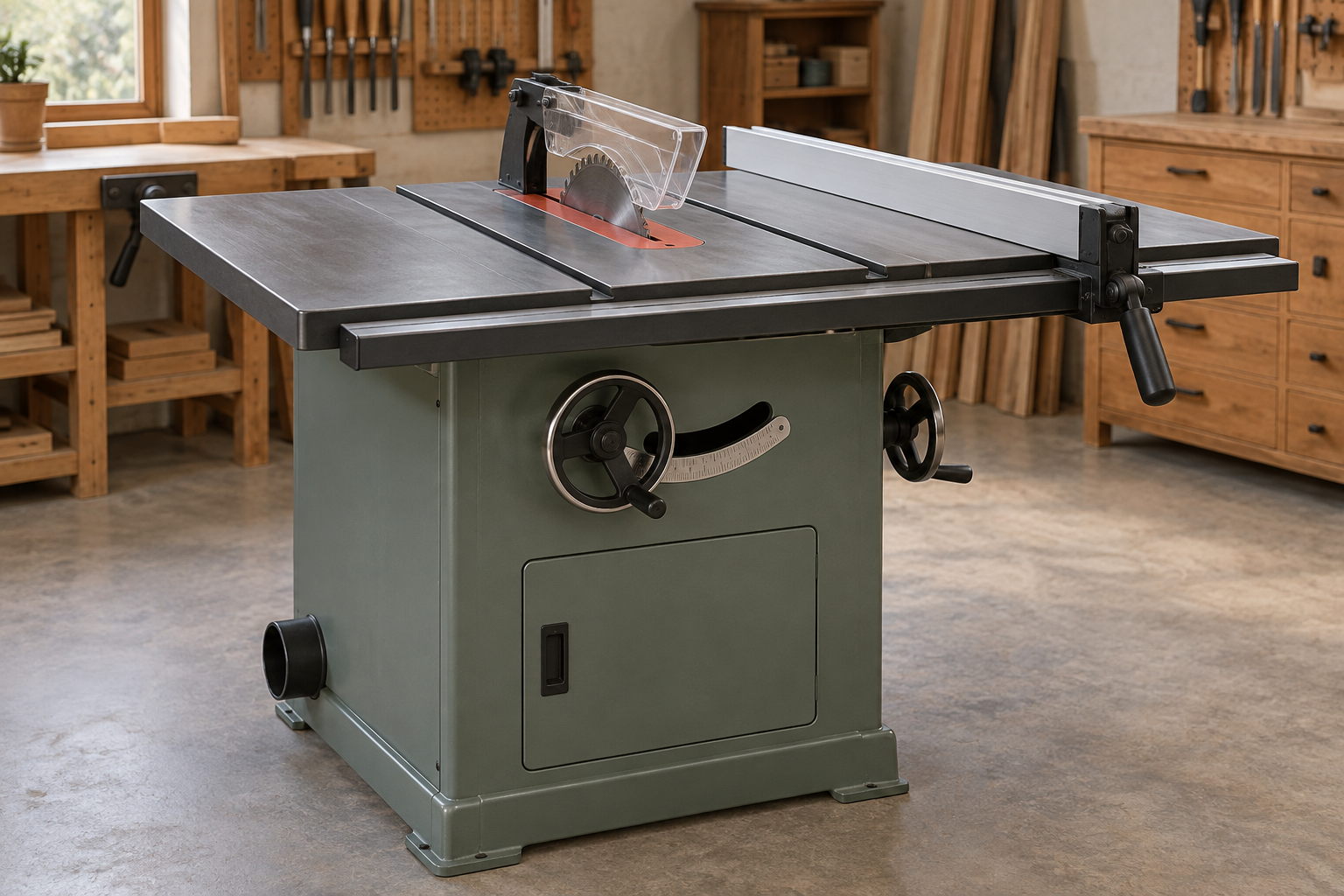
The trunnions are the brackets that support the saw’s arbor and motor assembly and let it tilt for bevel cuts. On many cabinet and contractor saws, shifting the trunnions moves the blade relative to the miter slots. That is the adjustment you need when the blade is not parallel to a miter slot. It is separate from setting the fence parallel to the blade.
A blade that is out of alignment can leave burn marks, pinch the workpiece, or make cuts inaccurate. Don’t assume the trunnions are at fault, though. A dirty or damaged blade, a loose arbor, a bent blade, or a misaligned fence can cause similar symptoms. Check the blade and arbor first, and make sure the saw is unplugged before working inside it.
Check alignment before adjusting
Use a dial indicator with a miter-slot bar for repeatable measurements. A good combination square or a purpose-made alignment gauge can work too, but take care to contact the same tooth or blade point at both ends. Mark one tooth with a felt-tip pen, rotate it to the front, and measure near the top of the blade. Rotate the blade by hand to take the rear reading at the same height and on the same tooth.
Measure the difference between the front and rear readings. A practical target is about 0.002 to 0.005 inch, with the front very slightly farther from the slot than the rear. Follow your saw’s manual if it specifies a different tolerance. A difference of 0.010 inch is worth correcting; a tiny variation may be within the accuracy of your measuring setup.
Before loosening anything, check that the blade is seated cleanly on the arbor and that the arbor has no noticeable side play. Confirm the miter gauge or measuring bar fits the slot without rocking. If measurements change when you repeat them, find the source of that inconsistency before moving the trunnions.
Tools and trade-offs
| Approach | Best for | Trade-off |
|---|---|---|
| Dial indicator and slot bar | Accurate, repeatable readings | Costs more than a basic square; the bar must fit the slot well |
| Combination square or alignment gauge | Occasional checks and small adjustments | Less precise; results depend on consistent contact and technique |
| Move the trunnions | Correcting blade-to-slot alignment on adjustable saws | Can be awkward, especially with a heavy motor or limited access |
If you plan to align machinery more than once, a table saw alignment gauge with a dial indicator makes small changes easier to see. For a one-time job, a careful measurement with a square may be enough; there is no need to buy a precision gauge if your existing tools give consistent readings.
Adjust the trunnions
Unplug the saw. Remove the throat plate and blade guard or splitter as needed for access, following the manual. Raise the blade and set it to 90 degrees. On a cabinet saw, the trunnions are often attached to the underside of the table; on other designs, access and adjustment points vary. Check the manual before loosening bolts, since some saws use shims or a different alignment procedure.
Mark the current position of the trunnion or table with a pencil so you can return to it if needed. Loosen the mounting bolts only enough for the assembly to move with firm taps. Do not remove them. A helper can support the assembly or table; a motor and arbor assembly can be heavy and can shift suddenly when bolts are loose.
Move the trunnions a small amount, then snug the bolts. Recheck the blade at the front and rear using the same measurement method. If the rear reading is closer to the slot than the front, adjust in the direction that reduces that difference. The movement needed may be very small. Use a soft-faced mallet or a wood block to tap the assembly rather than striking cast iron directly.
Once alignment is within tolerance, tighten the bolts gradually and evenly, then measure again. Tightening can pull the assembly out of position. If that happens, loosen slightly and make a smaller correction. Avoid forcing a stubborn assembly; check for a bolt that is still tight, a locating pin, or debris between mounting surfaces.
Reset the fence and verify
After the blade is aligned to the miter slot, align the fence to the blade according to the saw manual. The fence should generally be parallel or just slightly farther from the blade at the rear; do not use the fence to compensate for a blade that is out of parallel with the slot. Recheck the blade at 45 degrees as well, since some saws shift slightly when tilted.
Reconnect power only after reinstalling the guard and throat plate. Make a test cut in scrap lumber, watching for burning, binding, or a kerf that closes behind the blade. Stop if the stock pinches or the saw makes an unfamiliar noise. A trunnion adjustment cannot correct a warped blade or a fence that slips under pressure.
When not to adjust
Some saws have little or no practical trunnion adjustment, and some require shimming or service rather than tapping the assembly. If the alignment changes after every cut, the mounting bolts will not hold, or the arbor has play, stop and address that fault first. On a saw with a damaged casting or bent arbor, trying to force alignment can make the problem worse. For a sound saw with stable readings, small, measured trunnion moves are usually a straightforward repair—not a reason to replace the machine.