How to Reduce Noise from a Stationary Planer in a Home Shop
What's inside
As an Amazon Associate I earn from qualifying purchases. This post may contain affiliate links at no extra cost to you.
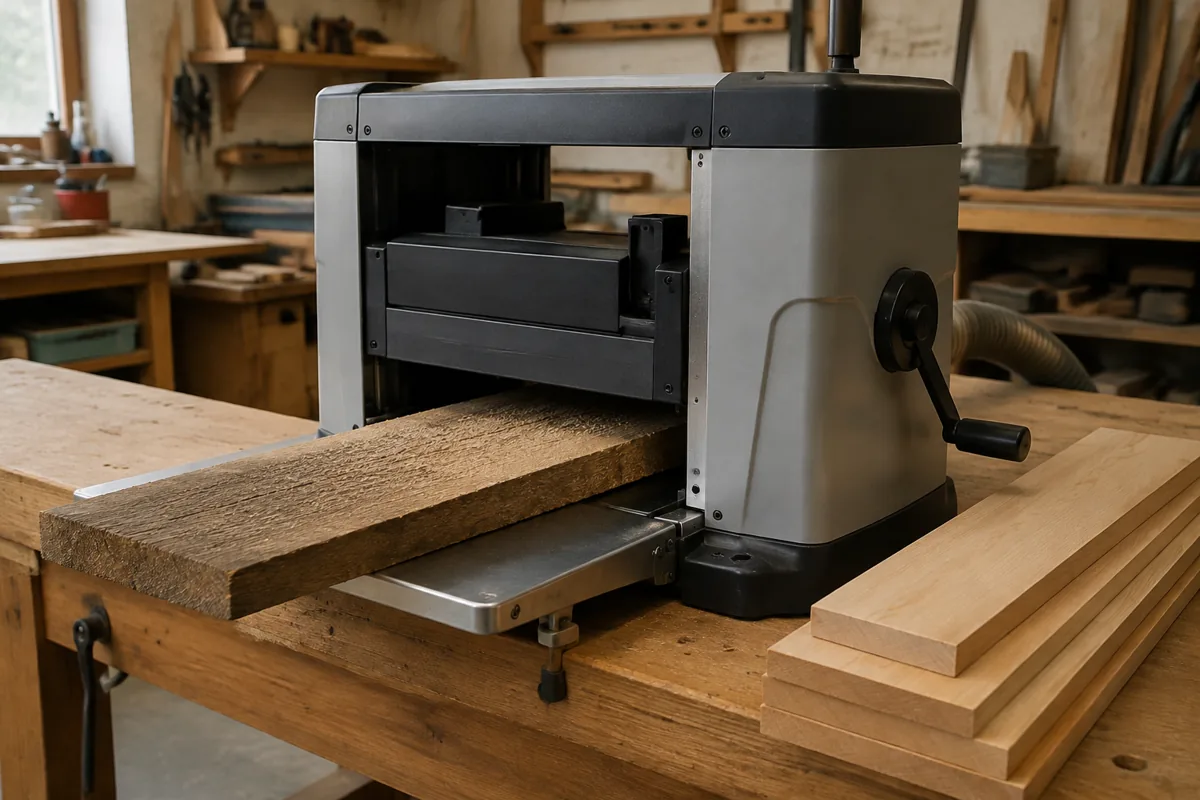
A stationary planer is one of the loudest machines in a home woodshop. The cutterhead, motor, belt drive, and board striking the infeed and outfeed tables all contribute noise. A typical lunchbox planer can produce roughly 90 to 105 dBA at the operator’s position, depending on the model, cutterhead, wood species, and cut depth. That is loud enough to risk hearing damage in a short work session.
The practical goal is not to make a planer silent. It is to reduce the sound reaching your ears, stop vibration from amplifying through the floor and walls, and shorten the time the machine runs. The best results usually come from combining several modest improvements rather than relying on one expensive accessory.
Contents
Measure the Noise First
Use a sound-level app as a rough guide, or a dedicated sound meter if you want repeatable readings. Measure at the operator’s normal standing position, about 3 feet from the planer. Take readings with the machine idling and while cutting a board. The cutting reading matters more; the cutterhead and wood often produce a sharp increase over the motor’s idle noise.
As a general guide, 85 dBA is the commonly used occupational exposure limit for an eight-hour day. At 95 dBA, acceptable exposure time is much shorter, and a planer can exceed that level easily. Wear hearing protection every time the machine runs. Over-ear hearing protection is usually more comfortable than disposable plugs in a dusty shop, while plugs and muffs together provide the best protection during long sessions.
Find and Fix Mechanical Noise
Before adding insulation, determine whether the planer is louder than it should be. Unusual rattling, squealing, grinding, or a pulsing hum often indicates a maintenance problem rather than a normal noise level.
- Inspect the cutterhead knives or inserts. Dull, nicked, or incorrectly seated knives create impact noise and can make the machine shake.
- Check that the cutterhead cover, dust hood, side panels, and access doors are tight. A loose sheet-metal panel can act like a speaker cone.
- Inspect belts for cracking, glazing, or incorrect tension. A loose belt may slap; an over-tight belt can transmit motor and bearing noise.
- Clean packed chips from the cutterhead area, rollers, and dust hood. Restricted chip flow can make the machine labor and become louder.
- Lubricate or replace bearings according to the manufacturer’s instructions. Do not continue using a planer with a failing bearing.
Also check the floor. A planer standing on an uneven surface can rock during a cut, turning the stand and floor into resonating panels. Level the stand, tighten its fasteners, and make sure all feet contact the floor.
Control Vibration at the Floor
Vibration control is inexpensive and often more noticeable than acoustic treatment. Place the planer on a rigid, level stand first. Then use properly rated anti-vibration feet or pads between the stand and floor. The pads should support the machine’s weight without allowing it to sway.
Soft foam, carpet scraps, and thick rubber mats are poor substitutes. They may reduce some high-frequency vibration but can make the planer unstable. Excess movement is a safety problem and can worsen snipe or cause uneven feeding. A dense rubber isolation pad is a better choice, but do not use one if it allows the planer to shift while feeding stock.
If the planer sits on a mobile base, lock every caster before use. A rolling stand can amplify vibration and make noise travel through the concrete. For a permanent setup, a rigid stand bolted to a heavy plywood or steel platform usually performs better than a lightweight folding stand.
Reduce Noise at the Source
Use a shallow cut whenever possible. Removing 1/16 inch in one pass generally creates less noise and motor strain than removing 1/8 inch, though the correct limit depends on the planer and material. Feed wide, heavy boards at the manufacturer’s recommended rate, and avoid forcing twisted stock into the rollers.
A helical or spiral cutterhead can reduce the harsh impact sound compared with straight knives, particularly when cutting figured wood or wide boards. It does not turn a planer into a quiet machine, and the upgrade may cost a large portion of the planer’s purchase price. It makes the most sense when you use the planer frequently, need better cut quality, or are already due for a cutterhead replacement. For occasional use, sharp factory knives and good maintenance are usually the cheaper answer.
When buying a replacement planer, compare cutterhead design, measured noise reviews, stand quality, and dust collection—not just motor horsepower. A helical cutterhead is a useful category to investigate, but verify compatibility before purchasing an upgrade.
Use a Barrier Without Building a Box
A movable acoustic barrier can block direct sound from the cutterhead and motor. Build a three-sided screen from 3/4-inch plywood with a layer of mineral wool or acoustic insulation on the side facing the planer. Leave the top open and keep generous clearance around the machine.
Do not enclose a running planer in a sealed cabinet. The motor needs cooling air, the dust collector needs unobstructed airflow, and an enclosed machine can overheat or fill with combustible dust. A barrier should redirect sound, not trap heat and chips. Keep access to the emergency switch, cutterhead cover, and power connection.
Position the planer so the barrier directs noise away from living areas and neighboring walls. A barrier works best when it blocks a direct line of sight between the machine and the listener. It does less against low-frequency motor hum that travels through the floor and structure.
Improve Dust Collection
Dust collection will not eliminate planer noise, but it can reduce the time spent running the machine and prevent chips from bouncing around inside the hood. Use a dust collector with a hose sized for the planer’s outlet, and keep the hose short and smooth where possible. A clogged filter or undersized collector can cause chip buildup and force repeated passes.
If the collector is extremely loud, move it farther from the work area or place it in a separate ventilated room. Never operate a combustion-powered heater or other ignition source near airborne wood dust. For a small shop, a dust collector noise enclosure can help, but it must provide unrestricted cooling airflow and easy filter access. A simple remote location is often safer and more effective.
Choose the Right Noise Control
| Method | Typical cost | Best benefit | Main drawback |
|---|---|---|---|
| Sharp knives and maintenance | Low to moderate | Less impact noise and vibration | Requires regular attention |
| Dense anti-vibration pads | Low | Reduces floor-borne vibration | Can make the machine unstable if too soft |
| Rigid stand or platform | Moderate | Stops rocking and rattling | Takes space and may reduce mobility |
| Movable acoustic barrier | Moderate | Blocks direct airborne sound | Needs safe clearance and ventilation |
| Helical cutterhead | High | Quieter cutting and longer edge life | Expensive; not always worth retrofitting |
For most home shops, start with sharp knives, a rigid level stand, locked casters, and hearing protection. Add isolation pads only after confirming the planer remains stable. If noise still affects the house, use a movable barrier or relocate the dust collector. Spend on a helical cutterhead only when the planer’s cut quality and frequent use justify the cost; otherwise, the cheaper maintenance and layout improvements are usually enough.